
The worst moment to go looking for documentation is the moment you need it. You are halfway through connecting a bank account, or staring at a transaction that will not match, and the answer lives in a browser tab you have not opened, on a site you would have to search. Most people do not go. They guess, or they give up on the feature.
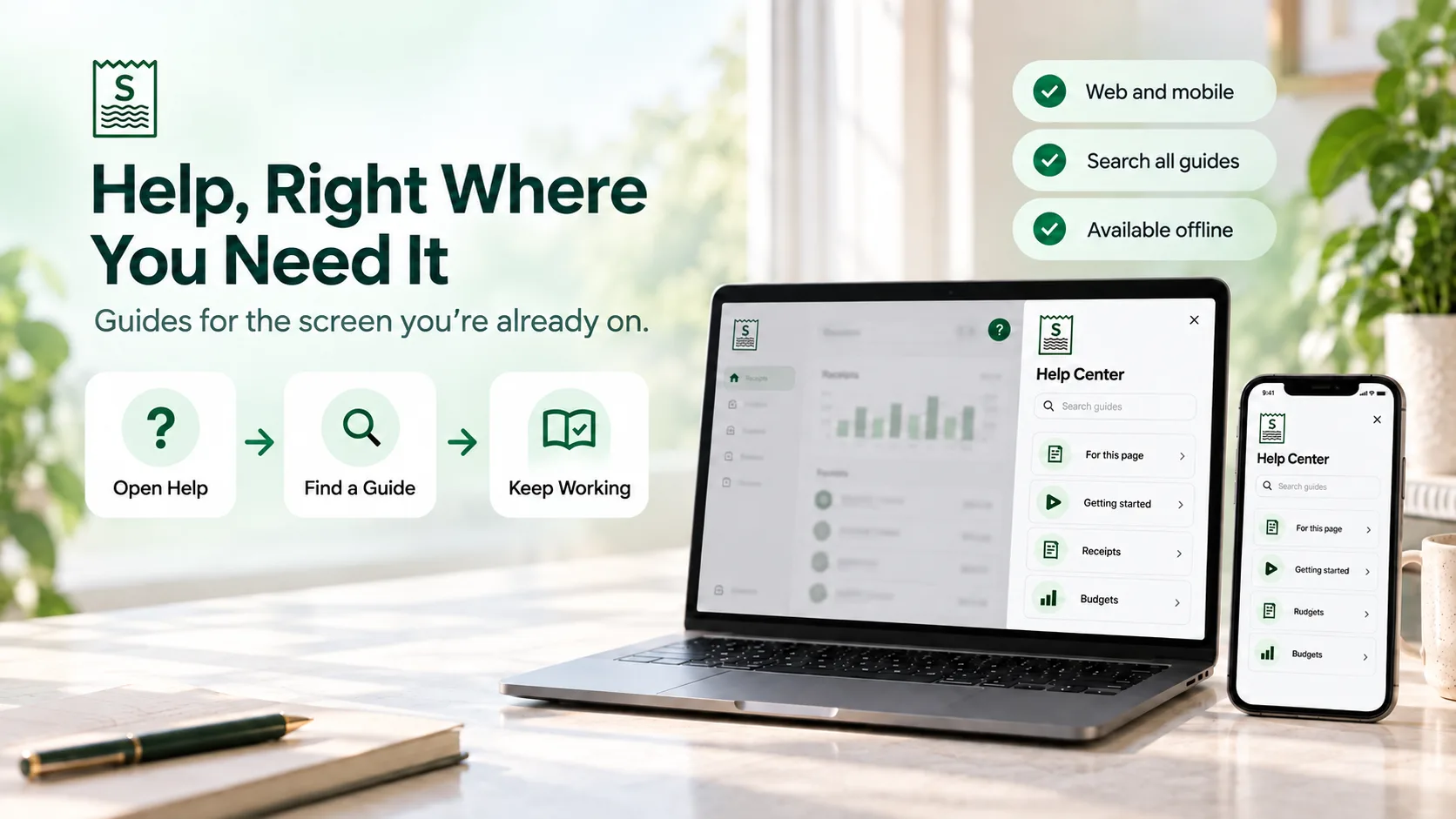
Synceipt's Help Center closes that distance. It is now in both apps — the web app and the iPhone — and it opens where you already are, with the guides for the screen you are looking at at the top of the list.
What the Help Center Is
It is 23 step-by-step guides, rendered in full inside the app: the same guides published on this blog, not a thinner in-app summary of them. Steps, tables, callouts and the FAQ all come through intact, because they are literally the same content.
- Opens in place — a side panel on the web, a full-screen sheet on mobile — so you never lose the page you were working on
- Suggests guides for the screen you are on before anything else
- Searches across titles, summaries, FAQ questions, step names and full article text
- Groups everything by category so you can browse when you do not know the word to search for
- Tells you which plan a feature needs before you follow a guide for something you cannot use yet
How to Open It on the Web
- 1
Click the '?' in the header
Top right, immediately to the left of your account avatar. It is in the top bar of every page in the web app, so the Help Center is one click away from wherever you are.
- 2
Start with 'For this page'
The panel opens with a section named after the area you are in — Receipt matching on the Transactions page, Bank sync on the Banking page, Budgets on the Budgets page — listing the guides for that area first.
- 3
Or search, or scroll
The search box is at the top of the panel; below the contextual section, every curated guide is listed by category.
Some screens also carry small inline '?' links next to the feature they explain — on the Budgets list, the Receipts page and the Project Journal — which open the Help Center directly on the relevant guide rather than on the home view.
How to Open It on iPhone
- 1
Tap the '?' in the tab header
It appears in the header of the Dashboard, Transactions, Receipts and More tabs, and — like the web version — opens scoped to that tab's area.
- 2
Or go to More → Support → Help & guides
This opens the Help Center on plain browse and search, since the More menu is not a single feature area. It is also there for advisors using the advisor menu.
- 3
Read, search, and come back
The sheet has the same home, search and article views as the web panel. Closing it returns you exactly where you were.
On mobile the guides are packaged inside the app itself rather than fetched, so opening one does not wait on a network round-trip — useful precisely when you are standing at a counter photographing a receipt on a bad connection.
What Is Actually in There
The Help Center is curated rather than a dump of the whole blog. Comparison posts and marketing pieces are deliberately left out — they answer 'should I use this?', not 'how do I do this?'. What remains is tagged by feature area so it can be surfaced against the right screen:
| Area | Guides it covers |
|---|---|
| Getting started | Connecting email and bank accounts, tracking expenses automatically |
| Receipts | Capturing receipts from email, photo, PDF and manual entry |
| Bank sync | How Plaid sync works, AI bank statement analysis |
| Receipt matching | Matching receipts to charges, Gmail extraction, Amazon orders, finding hidden charges |
| Budgets | Budget tracking, item-level and category budgets |
| Projects | Trip, remodel and job budgets |
| Bookkeeping | Light bookkeeping, expense tracking for freelancers |
| Team sharing | Sharing with a CPA, bookkeeper or team, sharing a family budget |
| Reports & subscriptions | Tracking and cancelling subscriptions, organizing receipts for taxes |
| Security & privacy | How Synceipt protects your data |
| Account & wallet | Multi-currency spending, gift cards and store credit, inventory sales |
Most areas are wired to a screen, so opening help there suggests them first. A few — Projects, for instance — are reached by browsing or search instead, because no single screen owns them. Every guide in the table above is also published here in full, and the links go straight to it.
Three Ways to Find an Answer
1. Let it read the room
Opening help from the Transactions page is a different question from opening it on the Budgets page, and the Help Center treats it that way. The 'For this page' section is the first thing you see, and on most screens it is the only thing you need.
2. Search in your own words
Search runs across every part of a guide, not just its title — the summary, the FAQ questions, the individual step names, and the body text. So 'why didn't my receipt match' finds the receipt matching guide even though no title contains that phrase. Results are ranked, and an empty result offers support rather than a dead end.
3. Browse by category
Below the contextual section, every guide is listed under its category — How-To Guides, Expense Tracking, Tax Tips, Security & Privacy — for the times when you do not yet know the word to search for.
Plan Hints, So You Do Not Read About a Feature You Cannot Use
Each guide carries the lowest plan its feature is available on — Regular, Pro or Pro Plus — shown as a small chip next to the title. Guides for features included on the Free plan carry no chip at all, which is the useful signal in the other direction: no chip means you can do this today.
One Source of Truth, Three Places to Read It
This is the part that matters more than any single feature of the panel. In-app help is normally a second copy of the documentation, and a second copy is a copy that drifts: the blog gets corrected, the in-app text does not, and a year later they contradict each other about how your own product works.
Synceipt has one copy. These blog posts are the source; the in-app Help Center is generated from them at build time; the mobile app carries a packaged snapshot of that same build. A guide is written once and appears in three places, and the build fails outright if the content cannot be read — an empty or half-populated Help Center never ships.
The practical effect: every article ends with a link to the full guide on this blog, and that link always leads to the same words you were just reading, at the version they are now.
Was This Helpful?
Every article ends with a thumbs up or down. It is recorded on your device so you are not asked the same question twice, and it exists to find the gaps — the guide that answers the wrong question, the step that skips the thing everyone gets stuck on. If you have hit one, that button is the fastest way to tell us.
What It Does Not Do
An honest boundary, since the Help Center is a support surface and overpromising one is worse than a modest one:
- There is no chatbot. The Help Center searches and renders written guides; it does not answer free-form questions, and it will not improvise an answer about your money.
- There is no live chat. Human support is by email at support@synceipt.com, linked from the Help Center footer and from any empty search result.
- It does not know your account. Guides describe the product, not your data — it will not tell you why your specific transaction did not match, though the matching guides describe every reason it can.
- It is not every blog post. Comparison and marketing posts are excluded on purpose; the full library stays on this blog.
FAQ: The Synceipt Help Center
Where is the Help Center in Synceipt?
On the web, click the '?' in the header on any page — top right, just left of your account avatar. On iPhone, tap the '?' in the header of the Dashboard, Transactions, Receipts or More tab, or open More → Support → Help & guides.
Do I need a paid plan to use the Help Center?
No. It is available to every signed-in user on every plan, including Free. Individual guides show which plan their feature requires, so you can tell before you follow one whether the feature is on your plan.
Is the in-app help the same as the blog?
Yes — the blog is the source and the in-app Help Center is generated from it, so there is one copy to keep correct rather than two. The in-app version leaves out comparison and marketing posts and the promotional sections; the guidance itself is identical, and every article links to the full post here.
How does the contextual 'For this page' section decide what to show?
Each guide is tagged with a feature area — receipts, bank sync, matching, budgets, projects, bookkeeping, team, reports, security, account — and each screen in the app is mapped to one. Open help on the Budgets page and you get the budget guides first, then everything else by category.
Does the mobile Help Center work offline?
The guides are packaged inside the app rather than fetched, so they open without waiting on the network. Opening the full version of a guide on the blog is a normal web link and does need a connection.
Is there an AI assistant that answers questions?
Not today. The Help Center is search over written guides — it finds and renders the article that answers your question rather than generating an answer. For a finance app, an assistant that improvises about your money is a liability, so anything in that direction has to be grounded in these same vetted guides and able to cite them.
How do I contact a human?
Email support@synceipt.com. The link is in the Help Center footer on both platforms and in the message you get when a search returns nothing.
Can my accountant or team members use it?
Yes. The Help Center is available to anyone signed in, including advisors working in a client's account through advisor access — 'Help & guides' appears in the advisor menu too.
Key Takeaways
- The Help Center is in both the web and mobile apps: the '?' in the header — top right, beside your avatar — or More → Support → Help & guides on mobile.
- It opens with guides for the screen you are on, then full search and category browsing behind that.
- 23 curated guides render in full inside the app, steps, tables and FAQ included.
- The blog is the single source — in-app help is generated from it, so there is one copy to keep correct, not two.
- Free on every plan, for every signed-in user, including advisors working in a client's account.
Documentation nobody opens is documentation that does not exist. Moving it to where the question gets asked is most of the job.
Try it on the screen you get stuck on
Sign in, open any page, and click the '?'. If you are not a user yet, the Free plan never asks for a credit card — and the Getting Started guides are the first thing the Help Center shows you.