
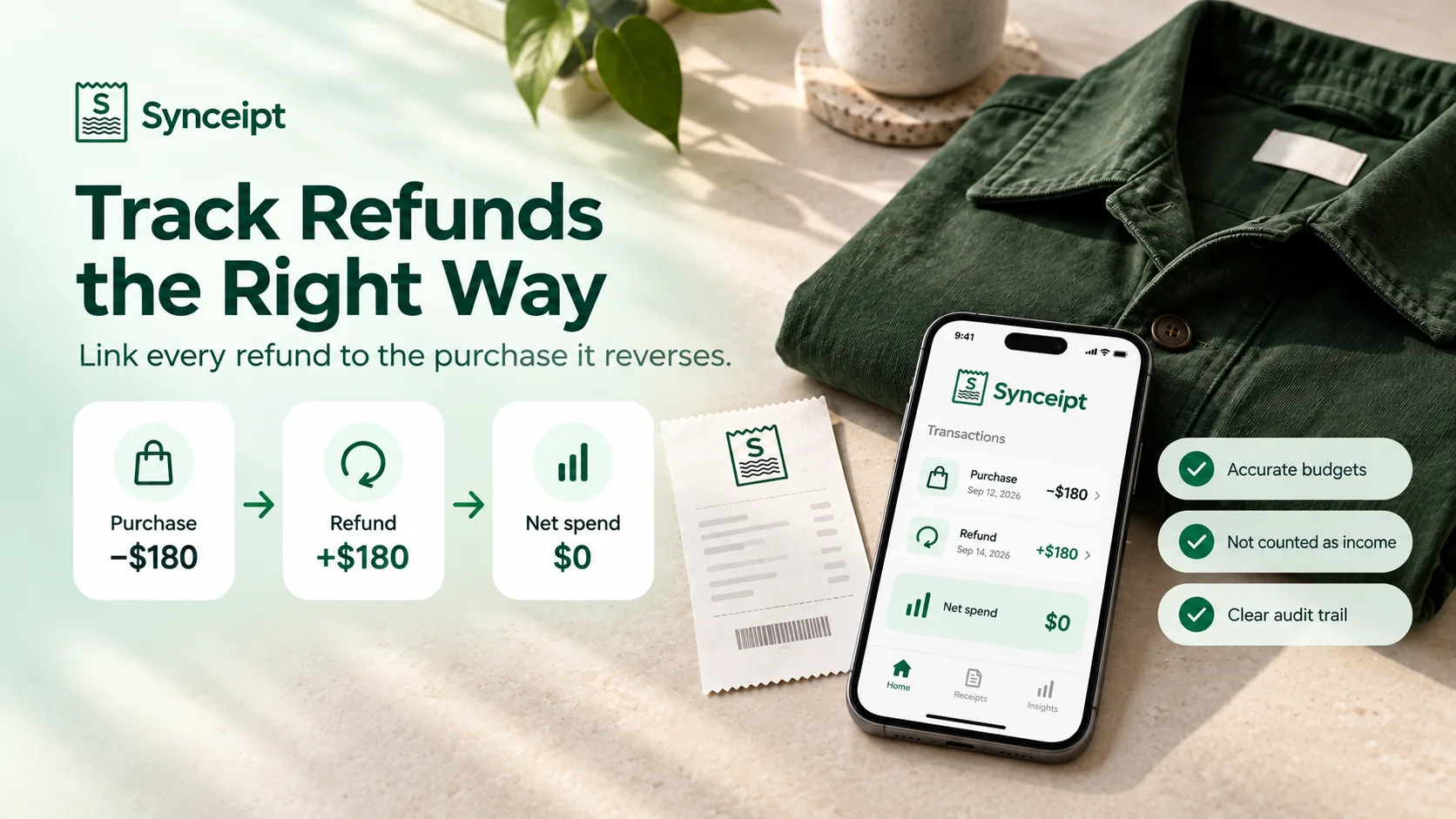
You bought a $180 jacket in March, returned it in April, and the money is back on your card. Open almost any budgeting app in May and it will still tell you that you spent $180 on clothing in March. The refund is in there somewhere — usually filed as income, occasionally as an unexplained positive number, sometimes ignored entirely — but nothing connects it to the jacket.
If you are working out how to track refunds in your budget, the short answer is this: connect the refund to the original purchase rather than treating it as new income. The purchase keeps its date and its category; the refund reduces what that purchase ended up costing you. Everything else here — partial refunds, credit card refunds, refunds that land a month or two later — is a variation on that one rule.
The gap is small for one jacket and large by December. Returns are routine now: clothes get ordered in two sizes on purpose, subscriptions get refunded inside the trial window, and marketplace orders get cancelled after they post. Every one of those leaves a purchase overstating your spending and a credit that explains nothing.
Scope: this guide is about merchant refunds — money a retailer or card issuer puts back after a purchase. Tax refunds, employer reimbursements and insurance payouts all arrive as positive amounts too, but they are different kinds of money and are tracked differently. The table further down draws the lines.
So: the general rule first, then the cases that complicate it, then how Synceipt matches a refund to the exact purchase it reverses — and, just as important, the cases where the app deliberately refuses to guess and asks you instead.
How Should You Track a Refund in a Budget?
Six rules cover almost every refund, whatever app or spreadsheet you keep your budget in:
- Keep the original purchase. Deleting it, or editing its amount down, destroys the record of what actually happened — along with the receipt attached to it.
- Do not record the refund as income. Money coming back was never earnings. Filed as income, the same $180 gets counted twice: once as spending you did not keep, once as money you never made.
- Record it as a reversal of spending — a contra-expense — against the purchase it reverses, so the pair nets to what you actually paid.
- Keep it in the purchase's category. A jacket refund belongs in Clothing, whatever your bank decides to call the credit.
- Use the date the refund posted, not the date of the purchase. Your budget is a record of when money moved.
- For a partial refund, reduce spending by the amount actually returned — and never by more than what is still unrefunded on that purchase.
| Situation | Budget treatment |
|---|---|
| Full refund of a purchase | Reduce spending in the original purchase's category by the full amount |
| Partial refund | Reduce spending by the refunded amount only; the rest of the purchase still counts |
| Refund posts in a later month | Record it in the month it posted, not the month of the purchase |
| Credit card refund | A reversal of spending on that card — not income, and not a payment towards the balance |
| Refund bigger than what is left unrefunded | Not a refund of that purchase. Find out what it is before recording it |
| Tax refund | Not a merchant refund. Track separately from purchase spending |
| Employer or insurance reimbursement | Someone paying you back, not a purchase being reversed. Track separately |
| Transfer between your own accounts | Neither spending nor income — pair it with its other leg and exclude both |
None of that is hard to agree with. The hard part is the join: knowing which purchase a $43.27 credit belongs to, four months later, when the description on it reads 'AMZN Mktp US'.
Why Refunds Break Expense Tracking
A refund is the one transaction that is neither an expense nor income, and most tools only have those two boxes. Three things go wrong as a result:
- The purchase keeps its full weight. Your clothing budget, your category breakdown and your year-end total all still count money you got back.
- The refund gets filed as income. Bank data providers frequently categorize a merchant credit as income, which inflates your earnings and flatters your savings rate — the same $180 counted twice, once in each direction.
- Nothing says which purchase it belongs to. A credit labelled 'AMZN Mktp US' for $43.27 is unreadable on its own. Four months later you cannot reconstruct which of eleven orders it reversed, and neither can your accountant.
The fix is not a better guess about whether a positive number is a refund. It is a link: a refund pointed at the specific purchase it reverses, recorded as a fact rather than inferred from a category.
Refund vs. Income vs. Reimbursement vs. Transfer
All four land in your account as a positive number, and a tool that only knows 'money in' files them all the same way. They are not the same thing, and telling them apart is what decides whether your spending totals are true.
| Money in | What it actually is | How to track it |
|---|---|---|
| Merchant refund | A purchase being reversed — you sent it back, or it never shipped | Reduces spending in the purchase's own category. Never income. |
| Tax refund | Overpaid tax coming back, unrelated to any purchase | Its own category. It should not reduce any spending total. |
| Reimbursement | Someone else paying you back for money you spent — an employer, an insurer, a friend | Keep it separate from the expense. The purchase still happened at that price; someone else is covering it. |
| Transfer | Your own money moving between your own accounts | Neither spending nor income. Pair it with its other leg and leave both out of your totals. |
Synceipt only ever subtracts the first row, and only when that refund is linked to a specific purchase. Transfers are paired with their other leg before refund matching runs, so your own money moving between accounts is never taken for a refund. Everything else contributes zero to spending — the same convention automatic expense tracking has always used.
How Synceipt Matches a Refund to Its Purchase
Synceipt already brings two streams together: the receipts in your inbox and the transactions in your bank feed, matched to each other automatically. Refund matching uses the same two streams, and the strongest route through them starts with a document you already have.
When a merchant refunds you, they send a refund email. That email carries an order number and an amount. The order number identifies the order; the order already knows which transactions paid for it. So the chain runs end to end without anything being guessed:
- The refund email arrives and is extracted into a refund receipt, carrying the order number and the refunded amount
- The order number resolves the original order, which already knows the purchase transaction that funded it
- The credit that landed in your account is matched to that refund receipt by its own amount, merchant and date — the same way a purchase receipt is matched to a charge
- The credit is linked to the purchase, and joins the same order
The receipt is the evidence. The order is the join. The link to the purchase is derived from both — never guessed from a score.
This is what makes partial refunds work. A $60 refund receipt for Amazon order 112-9988776-5544332 does not have to be told apart from ten other Amazon purchases in the same month, because only one of them belongs to that order. The ambiguity is not scored more cleverly; it stops existing.
When there is no refund email
Plenty of refunds arrive with no email at all — a cash return, a merchant that does not send confirmations, an extraction that failed. Synceipt then has one weaker piece of evidence and one honest admission.
The weaker evidence is an exact amount. If a credit equals, to the cent, what is still unrefunded on a purchase at the same merchant inside 45 days, that is unlikely enough to be a coincidence that Synceipt links it — and marks the link for review, because no order number confirmed it.
The admission covers everything else. If a credit is merely smaller than a purchase — a plausible partial refund, and an equally plausible unrelated credit — Synceipt links nothing and offers you a ranked list instead. An earlier design scored a 'most likely' purchase for these; for any merchant you buy from often, that score degenerates into 'the most recent purchase big enough', which is usually the wrong one. A confident wrong answer that moves money is worse than no answer.
| Link method | Evidence | What you see |
|---|---|---|
| Order number | A refund email naming the order, matched to the credit by amount | A plain 'Refund' chip — the strongest link, nothing to check |
| Exact amount | The credit equals the purchase's unrefunded balance to the cent, same merchant, within 45 days | A 'Refund' chip with a dashed amber outline and a 'Review' marker in the details view |
| Manual | You chose the purchase from a ranked picker | A plain 'Refund' chip; the automatic matcher never re-scores your choice |
How to Track a Credit Card Refund
A card refund is the most common refund there is, and the one most often mis-filed. When you return something you paid for by card, the merchant does not hand you money — they reverse the original charge, and a credit appears on the card a few days later, often with a description close to the original one.
- The original charge stays where it is. It is not removed from the statement, and you should not delete it from your budget.
- The credit is a reversal of that charge, not a payment towards your card. A payment moves money from your bank to the card; a refund undoes a purchase. Filing one as the other breaks both numbers.
- It reduces spending in the category of the thing you bought — Clothing, Electronics, Groceries — not in whatever category the issuer files the credit under.
- It belongs to the date it posted, which is usually several days after the store accepted the return.
In Synceipt a card refund takes exactly the same path as any other: the refund email's order number identifies the purchase, the credit is matched to that refund receipt, and the link is recorded. Where there was no email, the exact-amount route covers it, and the manual picker below covers the rest.
How to Track a Partial Refund
One purchase can be refunded more than once — you return two items from a five-item order, then a third the following week. Synceipt tracks each refund against the purchase's remaining unrefunded balance, so the second refund is matched against what is left rather than against the original total.
The balance is also a hard ceiling: refunds may never sum to more than the purchase they reverse. A credit that would exceed it is not linked, because at that point it is describing something other than a return of that purchase.
When you open the original purchase in Transaction Details, its refunds are listed under 'Refunded by' — plural, because there can be several — and each one is clickable, so you can follow the link to the credit and back.
Which Month Does a Refund Belong To?
A refund arriving in a different month from the purchase is the normal case, not the edge case: returns have windows, shipping takes time, and card credits post days after the store accepts the item back. Synceipt records the refund on a cash basis — it reduces the month it posted in, not the month of the purchase. A September purchase refunded in October reduces October.
Netting backwards is the tempting alternative and the wrong one. It rewrites months you may have already reviewed, reconciled and closed — and in light bookkeeping a completed reconciliation deliberately freezes the transactions inside it. A number you signed off on last quarter should not change because of something that happened this one.
One consequence is worth expecting: a month can report negative spending, if you were refunded more in it than you spent. That figure is reported rather than floored at zero, so your months still add up to your year instead of quietly losing the difference.
What Happens to Your Budgets and Reports
A linked refund reduces reported spending. A fully refunded $100 order used to show $100 of spending forever; it now shows $0. That flows through the dashboard, the reports, and the category rows on the Budgets page, because all of them read the same definition of what 'spent' means.
Two further details are deliberate choices rather than side effects:
- The refund counts against the purchase's category. If you bought the jacket under Clothing and your bank filed the refund under 'Income — Other', the reduction still lands on Clothing. Reports and Budgets are held to the same rule so they cannot disagree about the same refund.
- A linked refund is never income. It is a contra-expense: it subtracts from spending and contributes nothing to your income totals, so a $100 refund cannot inflate your savings rate by $200.
Only credits that are actually linked to a purchase subtract anything. Every other positive amount — salary, transfers, rebates, interest — still contributes zero to spending, exactly as before. That restriction is the whole safety of the feature.
One place deliberately does not net: the filtered summary at the top of the Transactions page. That summary reports literal money in and money out for the rows you are looking at, and the refund is already visible there as money in. Netting it again would subtract it twice.
How to Link a Refund to a Purchase Manually
When there was no refund email and no exact amount to go on, the link is one short job you do once:
- 1
Open the credit in Transaction Details
On the Transactions page — web or mobile — open the incoming credit you believe is a refund. There is deliberately no shortcut from the list row: the list cannot say which purchase without guessing, which is the exact thing this feature exists to stop doing.
- 2
Choose 'Link to the original transaction…'
The Refund card on any unlinked credit offers it. Note that this links to a bank transaction, not a receipt — attaching a receipt is a separate action in the same dialog.
- 3
Pick the purchase it reverses
The picker lists plausible purchases at the same merchant, ranked best-first, reaching back 180 days, each showing its date, amount and how much of it is still unrefunded. If the purchase is older than that, the search box reaches anything the list leaves out.
- 4
Check the result
The credit now carries a 'Refund' chip, the purchase shows it under 'Refunded by', and the purchase's reported spending drops by the refunded amount.
- 5
Undo it if it was wrong
Open the credit's details and choose 'Not a refund — remove this link'. Unlinking moves money — it changes reported spending — which is why it lives in the details view next to the context you need to judge it, and not one mis-click away in a dense list.
Where Refunds Show Up in the App
The same information appears on web and on mobile, in four places:
- On the transaction row — a small 'Refund' chip on the credit. On the web, hovering it names the merchant whose purchase it reverses and how the link was made; on mobile, opening the transaction does. A link made by an exact amount rather than an order number is marked amber — the same 'attached, but worth a glance' signal Synceipt uses for a provisional receipt match.
- In Transaction Details, both directions — 'Refund of' when you are looking at the credit, 'Refunded by' when you are looking at the purchase. Each counterpart is tappable and reopens the details view on the other side, so you can check either end and come back.
- On the receipt — a refund receipt shows its amount in green with a plus sign and a 'Refunded' status chip, rather than pretending to be another purchase.
- On the order timeline — the order the refund belongs to shows the full lifecycle, confirmed through to refunded.
One thing you will not see yet: a 'Refunded' badge on the purchase row in the transactions list. Showing it there means summing every refund for every row on the busiest screen in the app, so it is deferred rather than shipped as a performance problem. The details view answers the same question today.
How Far Back Does Refund Matching Look?
Three different windows, because the three routes carry different amounts of proof — the weaker the evidence, the tighter the window has to be:
| Route | Window | Why |
|---|---|---|
| Order number | 90 days after the purchase (plus a 5-day look-behind) | Card-network reversals run past 30 days and a holiday return can exceed 60. The order number is what makes a window this wide safe. |
| Exact amount | 45 days | Half the above, on purpose. With no order number, the window is the safety — every extra day widens the pool of unrelated credits that can coincide with a purchase amount. |
| Manual picker | 180 days, plus search beyond it | Four times the automatic window, because here you are deciding, not the app. The window's only job is to keep the list finite. |
Matching runs on its own: after each bank sync, after a batch import, and whenever a refund email is extracted and attached to its order. There is no button to press.
When Synceipt Refuses to Guess
An honest list of what the app will not do here, because the gap between a claim and the behaviour is where trust goes:
- It will not decide that a deposit is a refund. A credit can only link when there is evidence — a refund receipt, or an exact match against an unrefunded balance. There is no refund email for a paycheck, so your salary is never a candidate.
- It will not break a tie by scoring. Two purchases matching to the cent produces a question, not a link.
- It will not link a refund larger than what remains unrefunded on the purchase.
- It will not touch a transaction you excluded or deleted. If the purchase stops counting, its refund stops subtracting — otherwise a month would report negative spending with nothing on screen to explain it.
- It does not net refunds backwards into a closed period. Books that were balanced and closed stay that way.
Refunds, Returns and Your Business Records
If you deduct business expenses, an unlinked refund is a bookkeeping problem before it is anything else. Your records show money spent that came back, and the credit sitting elsewhere in the year does not obviously correct it. If your bank filed that credit as income, the same money is now overstating your revenue as well.
A linked refund repairs both sides of the record at once: the expense falls to what you actually paid, the credit stays out of your income, and the refund email remains attached as the document that explains why. Resellers get the same benefit at the item level, where a returned item should not keep sitting in cost of goods.
How that then flows into a tax return depends on your books and on when the refund arrived — the IRS treats purchase returns and allowances as a reduction of purchases when figuring cost of goods sold, while money recovered after it was deducted in an earlier year falls under the tax benefit rule for recoveries. Both are linked below. Synceipt keeps the record; what to do with it on a return is a question for your accountant, and nothing here is tax advice.
It is the same argument as organizing receipts for tax season all year rather than in April: refund emails get auto-archived, bank history has a finite reach, and the $43.27 credit you can still place today is the one you will not be able to place six months from now.
FAQ: Refunds, Returns and Your Spending Totals
Does a refund reduce your spending in a budget?
It should — that is the point of recording it as a reversal rather than as income. In Synceipt it does, once the refund is linked to the purchase it reverses: a fully refunded $100 order reports $0 of spending. Unlinked credits — salary, transfers, rebates, anything Synceipt has not positively identified as a refund — still contribute nothing to spending, so nothing is ever netted on a guess.
Should a refund be counted as income in a budget?
No. A refund is money you already had coming back, so filing it as income counts the same amount twice — once as spending you did not keep, once as earnings you never made — and flatters your savings rate in the process. Synceipt treats a linked refund as a contra-expense: it reduces spending and is excluded from income totals. Transfers are paired before refund matching runs, so your own money moving between accounts is never mistaken for a refund either.
Which month should a refund be recorded in — the month of the purchase or the month the money came back?
The month the refund posted. A September purchase refunded in October reduces October. This is a cash-basis choice made on purpose: netting backwards would rewrite months you may have already reviewed, reconciled and closed, and a completed reconciliation deliberately freezes the transactions inside it.
Why does one of my months show negative spending?
Because you were refunded more in that month than you spent in it. The figure is reported rather than floored at zero, so your months still add up to your year. It is most common in a month with a large return and little new spending.
How do you track a partial refund?
Reduce spending by the amount actually returned and leave the rest of the purchase counting. Synceipt tracks each refund against what is still unrefunded on the purchase, so a five-item order can be refunded in several installments and each one links correctly; the purchase's details view lists them all under 'Refunded by'. Refunds can never sum to more than the purchase they reverse.
How do you track a credit card refund?
The same way as any other merchant refund: leave the original charge in place, and record the credit as a reversal of it in the category you bought under — not as income, and not as a payment towards the card balance. Date it when the credit posted, which is usually several days after the return. In Synceipt the refund email's order number makes the link automatically where there is one; otherwise you link it from the credit's details view.
What is the difference between a refund and a reimbursement?
A refund reverses your own purchase — the merchant takes the thing back and undoes the charge, so your spending in that category genuinely goes down. A reimbursement is someone else paying you for money you spent; the purchase still happened, at that price. Synceipt only subtracts the first kind, and only when it is linked to the specific purchase it reverses. A reimbursement stays an incoming amount you categorize yourself.
How do I link a refund to a purchase manually?
Open the credit in Transaction Details, choose 'Link to the original transaction…', and pick the purchase from the ranked list. Candidates are purchases at the same merchant within 180 days, each showing date, amount and remaining unrefunded balance; the search box reaches anything older. Your choice is recorded as manual and the automatic matcher never overrides it.
What if Synceipt links the wrong purchase?
Open either side of the link and choose 'Not a refund — remove this link'. The spending reduction is reversed with it. Links made by exact amount rather than by an order number are marked 'Review' precisely so they are easy to spot and check.
Do I need a refund email for this to work?
No, but it is the strongest route. With a refund email the order number identifies the exact purchase, which is what makes partial refunds unambiguous. Without one, Synceipt links only when the credit matches an unrefunded balance to the cent at the same merchant within 45 days; anything less certain becomes a ranked list for you to choose from.
I use a bookkeeper or a CPA. Does the refund link show up for them?
Yes. Advisor access shows the same transaction records, including the refund link in both directions and the refund receipt attached as the supporting document, so the corrected totals arrive with their explanation rather than as an unexplained adjustment.
Key Takeaways
- The rule, in any tool: keep the purchase, record the refund against it as a reversal of spending in the same category, date it when it posted — and never file it as income.
- An unlinked refund leaves the purchase counting against you forever, and often gets filed as income, counting the same money twice.
- Synceipt links a refund to the exact purchase it reverses, using the order number on your refund email where there is one, an exact unrefunded-balance match where there is not, and a ranked picker where neither is certain.
- Partial refunds net against what is still unrefunded on the purchase, and can never exceed it.
- Only positively identified refunds subtract anything; every other credit still contributes zero to spending.
- Where the evidence runs out the app asks instead of guessing — and every automatic link can be reviewed and removed.
Returns are part of how people shop now. The record of them should not be a pile of unexplained positive numbers you scroll past — it should be the purchase, the return, and the arithmetic between them, kept automatically.
Stop paying for things you sent back
Connect your inbox and your accounts, and let Synceipt match refunds to the purchases they reverse — so your budgets show what you actually kept. The Free plan never asks for a credit card.