
Editorial note: This article compares Synceipt to QuickBooks Online, a product of Intuit Inc. QuickBooks and Intuit are trademarks of Intuit Inc., used here only to identify and describe their product for comparison purposes. This comparison is independent editorial content, not sponsored by, affiliated with, or endorsed by Intuit. We've made a good-faith effort to verify every claim about QuickBooks against primary and official sources — cited at the bottom of this article — as of July 2026, but pricing, plan names, and features change frequently and may have changed since publication. We provide this comparison for informational purposes only, without warranty of completeness or accuracy, and it shouldn't be your only source before making a purchasing decision — verify current details at quickbooks.intuit.com first. Spot something that's wrong or out of date? Email support@synceipt.com and we'll correct it.
If you're looking for a QuickBooks alternative because QuickBooks feels too expensive, too complex, or like more accounting software than you actually need, you're not alone. Many freelancers, side businesses, eBay and Etsy sellers, and households just want to automatically match receipts with bank transactions, track spending, and understand where their money goes — without learning double-entry bookkeeping.
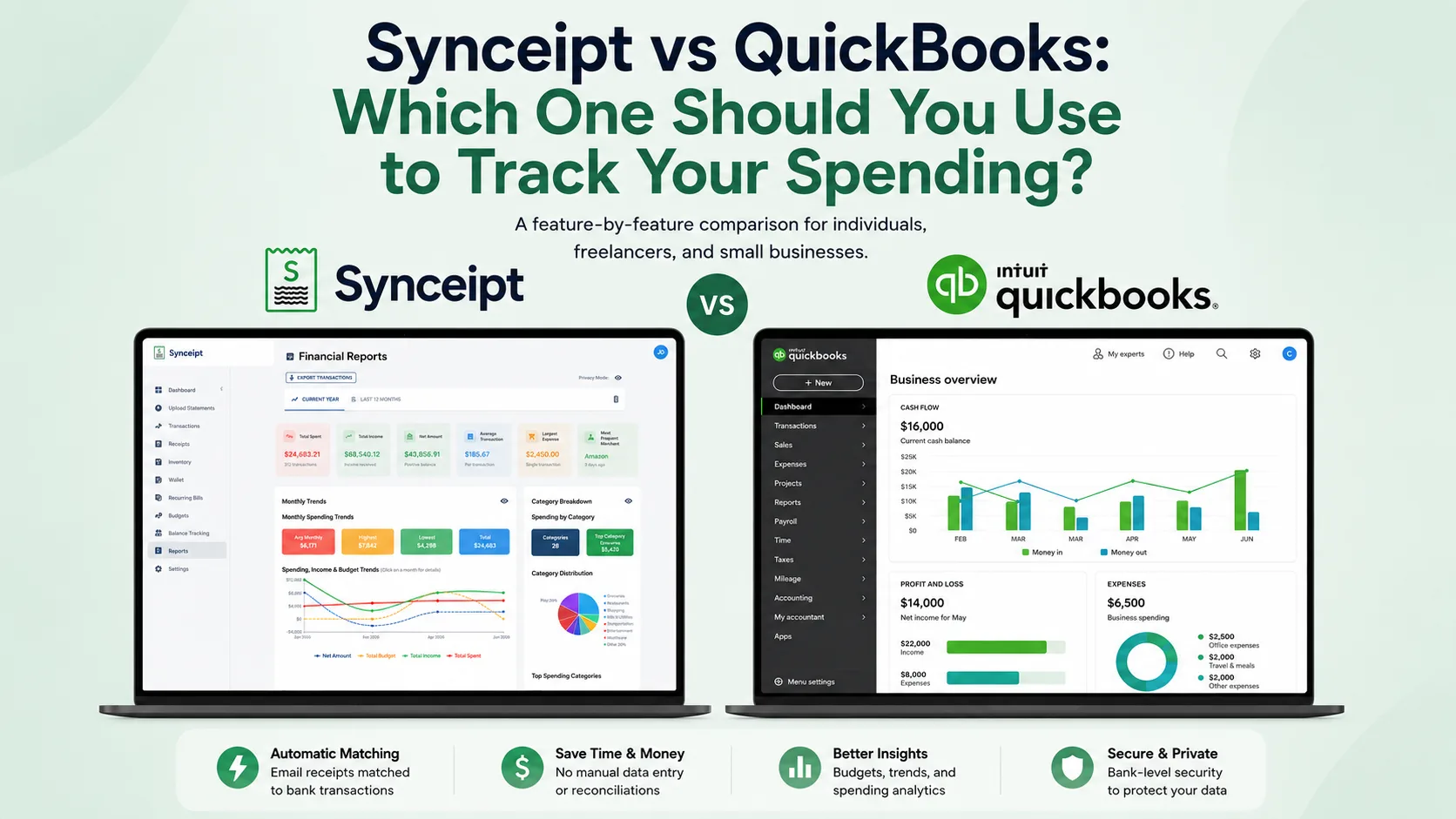
The biggest difference between the two is simple: QuickBooks is full double-entry accounting software for a business — invoicing, payroll, a formal balance sheet and cash flow statement — while Synceipt is built around automatically matching email receipts with bank transactions, then using that verified purchase data to power budgets, spending insights, and, on Pro and Pro Plus, a light bookkeeping ledger and P&L, without the overhead of a full accounting system.
QuickBooks Online is the default answer to “what should I use to track my finances” for a lot of people, mostly because it's the biggest name in the category. But QuickBooks was built to solve a specific problem: giving small businesses and their accountants a full, GAAP-adjacent bookkeeping system — invoices, payroll, a chart of accounts, profit-and-loss statements. Receipt capture is a feature inside that system, not the reason the system exists.
Synceipt solves a narrower, different problem: automatically connecting the email receipt you got for a purchase to the charge that shows up on your bank statement, with no manual scanning, forwarding, or data entry. If you're trying to decide between the two, the honest answer is that they're often not competing for the same job. This comparison walks through where they actually overlap, where they don't, and which one fits your situation.
Synceipt vs QuickBooks at a Glance
| Feature | Synceipt | QuickBooks Online |
|---|---|---|
| Automatic email receipt import (Gmail, Outlook, Yahoo) | ✅ Yes — OAuth, zero action per receipt | ❌ No — mobile photo capture or forwarding to a @qbodocs.com address |
| Photo receipt capture | ✅ Yes — AI extracts every line item, not just the total | ⚠️ Partial — OCR captures vendor, date, and total only, no line items |
| Automatic receipt-to-transaction matching | ✅ Yes — exact amount, merchant, and date | ⚠️ Partial — bank-feed matching inside the bookkeeping workflow |
| Item-level (line-item) budget categorization | ✅ Yes | ❌ No — categorizes a whole transaction to one account |
| AI-generated budget suggestions | ✅ Yes | ❌ No |
| Project / job budgets (trips, remodels, client jobs) | ✅ Yes — light Project Journal on paid plans (budget, linked transactions, vendors, PDF) | ✅ Yes — full project/job costing on Plus & Advanced (~$115+/mo) |
| Personal net worth tracking | ✅ Yes — checking, savings, credit, loans, investment/retirement | ❌ No — account connections feed the business's books, not a personal view |
| Chart of accounts + P&L export | ✅ Yes — Pro & Pro Plus, light/single-entry ledger | ✅ Yes — full double-entry, plus balance sheet & cash flow |
| Accountant / bookkeeper access | ✅ Yes — dedicated Advisor Access, Viewer (read-only) or Bookkeeper (read/write categorizing and reconciling), drawn from the same paid Pro/Pro Plus team-seat capacity | ✅ Yes — up to 2–3 free accountant users (doesn't use a seat), but full admin-level access only, no read-only tier |
| Invoicing and payroll | ❌ No | ✅ Yes |
| Free plan | ✅ Yes | ❌ No |
| Starting price | $5.99/month | ~$20/month (Solopreneur) |
The Short Answer
- Choose QuickBooks if you need to invoice clients, run payroll, produce formal financial statements, or hand a CPA a real set of books for business tax filing.
- Choose Synceipt if you're an individual, freelancer, or small business owner who wants automatic receipt-to-transaction matching, tag-based expense reporting, personal budgeting, and — on Pro or Pro Plus — a light bookkeeping ledger with a chart of accounts and P&L export, without the cost or complexity of a full accounting platform.
Is Synceipt a Good QuickBooks Alternative?
If you're searching for a QuickBooks alternative because QuickBooks feels too expensive, too complex, or like more accounting software than you actually need, you're not alone. A lot of people land on QuickBooks by default — it's the biggest name in the category — and then discover they're paying for invoicing, payroll, and a chart of accounts they'll never touch. Synceipt is a legitimate alternative for one specific job: automatically matching email receipts to bank transactions and turning that verified data into budgets, spending insights, and — for Pro and Pro Plus users — a light bookkeeping ledger with a chart of accounts and P&L export, without the learning curve of a full double-entry system.
Who Synceipt works well for:
- Freelancers and self-employed individuals who need deduction-ready expense records without an accounting platform
- Side businesses and side hustles that don't need formal bookkeeping yet
- eBay, Etsy, and Poshmark sellers who want automatic bank matching and sale-proceeds tracking without a full inventory-accounting system
- Households and families managing shared spending, budgets, and receipts together
- Individuals doing personal expense tracking, tax-season deduction prep, or general spending awareness
- Small business owners who want automatic day-to-day capture and only need formal books a few times a year
When Is QuickBooks Overkill?
QuickBooks is excellent at what it's built for — but for a lot of situations, it's simply more software than the job requires:
- Selling on eBay, Etsy, or at garage sales — you need to track what sold and reconcile the payout, not run cost-of-goods-sold accounting
- Freelancing or consulting without employees — you need deduction-ready expense records and maybe a simple P&L, not payroll or a full double-entry set of books
- Running a side business alongside a full-time job — learning double-entry bookkeeping for a few hundred dollars a month in revenue rarely pays for itself
- Managing a rental property on the side — you want verified income and expense records, not a dedicated property-accounting module
- Tracking shared household spending — QuickBooks has no personal or family budgeting model at all
The tell: if you're paying $20 to $275 a month for invoicing, payroll, and a chart of accounts you never use — because all you actually wanted was automatic expense tracking — that's a sign you need a narrower tool, not a smaller QuickBooks plan.
What Each App Is Actually Built For
QuickBooks Online is double-entry accounting software. Every transaction posts to a chart of accounts, and the product is organized around producing financial statements — profit and loss, balance sheet, cash flow — that a business needs for taxes, loans, or investors. Its five tiers (roughly: Solopreneur, Simple Start, Essentials, Plus, and Advanced) add invoicing, bill pay, multiple user seats, inventory for resale businesses, project costing, and workflow automation as you move up.
Synceipt is a personal and small-business expense tracker built around one pipeline: read receipts from your email inbox automatically, sync bank transactions automatically, and match the two without manual review. Everything else in Synceipt — budgets, tags, the wallet, inventory sale tracking, and, on Pro and Pro Plus, a light bookkeeping ledger — is built on top of that verified receipt-transaction record. The ledger adds a simplified, single-entry-style chart of accounts and P&L export over the matched data; it isn't the double-entry system QuickBooks is built around from the ground up.
Does Synceipt Do Bookkeeping Now?
This is worth calling out directly, since it changes part of the comparison above. Synceipt's Pro and Pro Plus plans now include a light bookkeeping ledger layered on top of your matched receipts and transactions. It's deliberately scoped as “light” — it isn't a QuickBooks replacement — but it's real enough that a freelancer or small business who previously exported to QuickBooks or a bookkeeper just for a P&L may not need to anymore.
What the ledger actually does:
- Review, exclude, and restore any matched transaction from your books without deleting or unmatching it
- Split a single deposit into revenue, fees, and tax — useful for Etsy, eBay, Stripe, or PayPal payouts that land as one lump sum
- Build a custom chart of accounts to categorize transactions the way your business actually runs, instead of Synceipt's default budget categories
- Close and lock accounting periods so past books can't be edited by accident
- Export a P&L and a revenue-by-customer report to Excel
What it still isn't: true double-entry bookkeeping with automatic balance-sheet integrity, invoicing, payroll, bill pay, or accounts receivable/payable. There's no balance sheet or cash flow statement. If a lender, investor, or your CPA specifically needs those, you still need QuickBooks or a comparable accounting platform. Where Synceipt's ledger earns its place is a freelancer or small business that mainly needs a clean, exportable P&L for taxes — built automatically from receipts and transactions that were already matched, not entered from scratch.
Giving Your Accountant or Bookkeeper Access
QuickBooks Online has long had a real answer to this: from Settings → Manage Users → Accounting Firms, you can invite up to two accountant firms (three on Advanced) at no extra cost — they don't use one of your paid user seats. The catch is that it's all-or-nothing: an invited accountant gets full, admin-level access to make any change, with no read-only option for someone who should just be reviewing the books, not editing them.
Synceipt takes a different shape here. Advisor Access (Pro and Pro Plus) is a dedicated grant, separate from adding someone as a team member, with two levels the plan owner chooses and can change anytime: Viewer, read-only and limited to your already-reviewed transactions and receipts — a real middle ground QuickBooks doesn't offer — or Bookkeeper, who can review, categorize, split, match, exclude/restore, and close accounting periods, but can never delete anything or edit an amount or date. The trade-off: unlike QuickBooks' free accountant invite, an Advisor Access grant draws from the same paid Pro/Pro Plus team-seat capacity a real team member would use, so it isn't free the way QuickBooks' accountant seats are.
The honest comparison: QuickBooks' accountant access is free and unlimited-seat but one-size-fits-all (full access, nothing less). Synceipt's Advisor Access costs a team seat but lets you actually choose how much access to give — read-only for a CPA doing an annual review, or full bookkeeping access for someone handling your books month to month.
Two Different Philosophies
The feature differences above come from two different starting points for how spending data gets categorized in the first place.
- 1
The traditional accounting workflow
Bank transactions arrive → you (or your bookkeeper) categorize each one by account → categories roll up into a budget or financial statement. This is what QuickBooks, and most accounting software, is built around.
- 2
Synceipt's workflow
Email receipts and bank transactions both arrive automatically → they're matched into one verified purchase record → that record automatically powers item-level budgets, net worth tracking, spending insights, and, on Pro and Pro Plus, a light bookkeeping ledger and P&L — with no manual categorization step to get there.
That's the real reason the feature lists diverge — it's not that Synceipt bolted budgeting (or bookkeeping) onto a receipt scanner. Categorization, and now light bookkeeping, is a byproduct of matching, not a separate step someone has to do.
Pricing, Side by Side
Pricing verified from Intuit's help center and third-party pricing coverage (NerdWallet and others) as of July 2026. QuickBooks frequently offers up to 50% off the first 3 months for new customers — the numbers below are standard list pricing. Confirm current pricing at quickbooks.intuit.com/pricing before subscribing to either product.
- Synceipt Free — $0/month forever. 1 email account, manual bank statement upload, limited AI receipt extractions, manual transaction/receipt entry, budget tracking.
- Synceipt Regular — $5.99/month, no trial (a previous 14-day trial was retired). 2 email accounts, 2 Plaid bank connections, automatic matching, recurring bill tracking, inventory sale tracking.
- Synceipt Pro — $9.99/month, with a 30-day free trial (credit card required). 8 email accounts, 5 bank connections, advanced reporting, a light bookkeeping ledger with chart of accounts, P&L, and revenue-by-customer export, team sharing for up to 4 members, 30-day money-back guarantee.
- Synceipt Pro Plus — $19.99/month. 15 email accounts, 15 bank connections, unlimited tags, the same light bookkeeping ledger as Pro, team sharing for up to 8 members (expandable), priority support.
- QuickBooks Solopreneur — around $20/month. Single user, basic income/expense tracking and tax estimation aimed at sole proprietors with no employees.
- QuickBooks Simple Start — around $38/month. Single user, invoicing, basic reporting, receipt capture, mileage tracking.
- QuickBooks Essentials — around $75/month. 3 users, bill management, time tracking.
- QuickBooks Plus — around $115/month. 5 users, inventory tracking, project costing, class tracking.
- QuickBooks Advanced — around $275/month. 25 users, advanced reporting, workflow automation, dedicated account management.
QuickBooks' cheapest tier costs about as much per month as Synceipt's most expensive plan — and every tier above that starts pulling away fast. That gap is the clearest signal of what each product is for: QuickBooks is priced like infrastructure a business budgets for; Synceipt is priced like a consumer app.
Receipt Capture and Bank Matching
This is the area with the most surface-level overlap, and the most important practical difference.
- Capture method — QuickBooks: photograph receipts in its mobile app (OCR extracts vendor, date, and total only — no line items), or forward emails to a dedicated @qbodocs.com address. Synceipt: automatically reads Gmail, Outlook, and Yahoo inboxes via OAuth with zero action required, and also supports photographing a paper receipt — Synceipt's AI extracts the full line-item breakdown from the photo, not just the total — plus fully manual entry for anything else.
- Gmail forwarding — QuickBooks: users widely report in Intuit's own Community forums that Gmail's auto-forwarding setup requires a verification code sent to the receipt-forwarding address, which can't be retrieved since that address isn't a monitored inbox — an unresolved limitation as of this writing that makes automated Gmail forwarding a manual workaround for most users. Synceipt: no dedicated forwarding address to set up in the first place — Synceipt reads your whole connected inbox, so a receipt that lands in an account you haven't connected can simply be forwarded to one you have; it's picked up and extracted the same as any native receipt, with no verification step or special address required.
- Bank sync — QuickBooks: bank feeds via direct bank connections and Plaid, landing in a “For Review” queue where you confirm or edit each suggested categorization. Synceipt: Plaid connections to 12,000+ institutions, syncing automatically with no per-transaction review required for confirmed matches.
- Matching logic — QuickBooks: matches receipts and bank-feed transactions for bookkeeping and categorization purposes, oriented around the chart of accounts. Synceipt: matches on exact amount, merchant name, and date specifically to produce a verified personal record, with a manual matching mode for edge cases like added tips.
- No-Plaid fallback — QuickBooks: added AI-assisted bank statement upload (PDF/JPG/PNG) through its "Accounting Agent" feature, but the enhanced extraction and reconciliation capabilities are limited to Plus, Advanced, and Enterprise plans — not available on Solopreneur, Simple Start, or Essentials. Synceipt: PDF bank statement upload with AI extraction is available on every plan, including the free tier.
Budgeting and Expense Insight
QuickBooks reports are built for accounting: profit and loss by account, expense by vendor, tax summaries tied to a chart of accounts. That's exactly what a bookkeeper needs and mostly more structure than an individual needs for day-to-day budgeting.
- Personal budgeting — QuickBooks: not a focus; budgeting exists but is framed around business categories and accounts. Synceipt: dedicated budget tracking with AI-generated budget suggestions based on your own spending history.
- Item-level accuracy — QuickBooks: categorizes a transaction as a whole to an account (e.g., “Office Supplies”). Synceipt: reads the receipt line items themselves, so a single $135 Amazon order can be split automatically across Electronics, Cleaning Supplies, and Groceries budget categories — without you touching it.
- Tags for deductions — QuickBooks: categorization is built around the chart of accounts, which is the right structure for filing business taxes. Synceipt: category assignment happens automatically at the line-item level from every matched receipt, so a dedicated business account is already broken into deduction-ready categories without tagging anything. Tags are a lightweight, optional layer on top — useful on any account for cutting across categories (e.g., “client lunch,” “home office”), especially when personal and business spending share the same account.
How much of this runs on autopilot depends on how you set up your accounts. Link a bank account you use only for business purchases, and every transaction on it is inherently a business expense — Synceipt's item-level extraction already categorizes each receipt, so a clean deduction record builds itself without you tagging a single transaction. Mix personal and business spending on one account, and tags become the tool that separates the two afterward. For a small business with employees or co-owners, this pairs with Synceipt's team mode (Pro and Pro Plus): each person connects their own accounts — so their data stays isolated to them — while the account owner still gets one controlled, centralized view of everyone's categorized spending and matched receipts.
What Does Synceipt Do That QuickBooks Doesn't?
These aren't just “nice to have” — they're the reason Synceipt exists as a separate product rather than a QuickBooks alternative that does the same thing cheaper:
- Automatic email inbox reading with zero manual capture, versus QuickBooks' photo upload or email forwarding
- Photo receipt capture with full line-item extraction — for receipts that don't arrive by email, Synceipt's AI reads a photo and extracts every line item, not just the total, so paper receipts get the same item-level budget accuracy as email receipts. QuickBooks' photo capture (OCR) only pulls vendor, date, and total
- Item-level (line-item) budget categorization, not just merchant- or account-level categorization
- Personal net worth tracking — Account Balance Tracking connects checking, savings, credit cards, loans, and investment/retirement accounts (401k, IRA, brokerage) via Plaid and rolls them into a single net worth figure, with a weekly net worth summary email. QuickBooks doesn't offer a personal net worth view — its account connections exist to feed the business's books, not to show you where you personally stand.
- A wallet for cash and gift card balances, tracked as real transactions alongside your bank activity
- Sale event tracking for personal resale (yard sales, eBay, Venmo/PayPal sales of your own items), with the proceeds linkable to a bank deposit — distinct from QuickBooks' business inventory and cost-of-goods-sold tracking
- AI-generated budget suggestions based on your own historical spending
- A light bookkeeping ledger built directly on already-matched receipts and transactions — categorizing into a chart of accounts and producing a P&L without the from-scratch data entry a QuickBooks setup usually requires (Pro & Pro Plus)
- A genuine free-forever tier, versus QuickBooks' trial-then-subscribe model
- Independently verified security: Synceipt completed the Cloud Application Security Assessment (CASA) Tier 2, reviewed by TAC Security, an App Defense Alliance authorized assessor
Features QuickBooks Has That Synceipt Doesn't
Being honest about this matters more than the marketing angle. If any of these are core to what you need, QuickBooks (or a comparable accounting platform) is the right tool, not Synceipt:
- Invoicing and client billing
- Payroll (as an add-on)
- True double-entry bookkeeping with a full audit trail and account reconciliation
- A formal balance sheet and cash flow statement (Synceipt's Pro/Pro Plus ledger covers a P&L, not these two)
- Bill pay and accounts payable/receivable workflows
- Multi-user roles with permission levels, up to 25 users on the Advanced tier
- Business inventory tracking tied to cost-of-goods-sold accounting
- A large third-party integration marketplace
How to Use Synceipt and QuickBooks Together
Some small businesses genuinely need both — automatic day-to-day capture from Synceipt, and QuickBooks (or a bookkeeper) for the formal books. There's no direct integration between the two yet, so here's what that workflow looks like in practice:
- 1
Connect Gmail, Outlook, or Yahoo to Synceipt
Receipts start extracting automatically as they arrive — no forwarding rules or filters to configure.
- 2
Let automatic matching run in the background
Synceipt links each receipt to its bank or credit card transaction by amount, merchant, and date, with no review needed for confirmed matches.
- 3
Tag transactions for your bookkeeper
Apply tags for the categories your bookkeeper cares about — client meals, home office, mileage-adjacent purchases — as they come in, instead of sorting a shoebox at tax time.
- 4
Export tagged transactions as CSV
Filter by tag or date range and export a clean CSV of verified, categorized transactions.
- 5
Hand off to QuickBooks or your bookkeeper
Import the CSV into QuickBooks or send it directly to your bookkeeper — the reconciliation work is already done.
Before setting up this handoff, check whether you even need it: if the only reason you were exporting to QuickBooks was to get a P&L for taxes, Synceipt's own light bookkeeping ledger (Pro and Pro Plus) may already cover it without leaving Synceipt at all.
Who Should Choose Which
- You're a freelancer or individual who wants to know what you're actually spending on, with receipts automatically verified against your bank → Synceipt
- You need to send invoices to clients and get paid → QuickBooks
- You have employees and need to run payroll → QuickBooks
- You need a balance sheet, cash flow statement, or a CPA-ready double-entry set of books for a loan or investor application → QuickBooks
- You want a simple, tax-ready P&L and chart of accounts without full double-entry accounting → Synceipt Pro or Pro Plus
- You run a small side business and want automatic expense capture without accounting overhead, and you'll export tagged data to your bookkeeper a few times a year → Synceipt, possibly alongside QuickBooks
- You want a household budgeting and receipt-verification tool that costs less than one QuickBooks user seat → Synceipt
If you're not sure which category you fall into, ask one question: do you need to send an invoice, run payroll, or produce a balance sheet or cash flow statement this month? If yes, you need accounting software like QuickBooks. If you just need a clean P&L for taxes, Synceipt's Pro or Pro Plus ledger can likely produce it directly. If none of that applies, you're very likely better served — and better priced — by a purpose-built tracker like Synceipt.
Frequently Asked Questions
Can I use Synceipt instead of QuickBooks for my small business?
It depends on what you need. If you need invoicing, payroll, a balance sheet, a cash flow statement, or true double-entry books for a CPA or lender, QuickBooks is the right category of tool. If you mainly want automatic expense tracking, receipt verification, tag-based reporting, and — on Pro or Pro Plus — a simple chart of accounts with a P&L export, Synceipt covers that at a much lower cost, without a full accounting system.
Does Synceipt do invoicing or payroll like QuickBooks?
No. Synceipt still has no invoicing, payroll, bill pay, or true double-entry bookkeeping. But Pro and Pro Plus plans include a light bookkeeping ledger — review/exclude/restore entries, deposit splitting, a custom chart of accounts, period close, and a P&L and revenue-by-customer export to Excel. It's a receipt and transaction tracking tool with an optional lightweight books layer, not full accounting software.
How much cheaper is Synceipt than QuickBooks?
Synceipt has a free-forever plan and paid plans from $5.99 to $19.99/month. QuickBooks' published tiers run from roughly $20/month (Solopreneur) to $275/month (Advanced), before any promotional discounts. Check current QuickBooks pricing directly, since it changes often.
Can I use Synceipt and QuickBooks together?
Yes. Some users run Synceipt for automatic day-to-day receipt capture and tagging, then export tagged transactions as CSV to hand to a bookkeeper or import into QuickBooks. There's no direct integration between the two today, so this is a manual export step. If you only need a P&L for taxes, Synceipt's own light bookkeeping ledger (Pro and Pro Plus) may cover it without QuickBooks.
Does QuickBooks automatically read my email for receipts like Synceipt does?
No. QuickBooks relies on mobile photo capture or forwarding emails to a @qbodocs.com address, and Gmail's forwarding verification requirement — widely reported by users in Intuit's own Community forums — makes Gmail-to-QuickBooks forwarding a manual workaround for most users. Synceipt connects to Gmail, Outlook, or Yahoo directly via OAuth and reads receipts automatically as they arrive — and because it reads the whole connected mailbox, forwarding a receipt from an unconnected account to one you have connected works too, with no dedicated address or verification step needed. For paper receipts, Synceipt also has photo capture — and its AI extracts every line item from the photo, not just the total, unlike QuickBooks' OCR.
Which is better for freelancers — Synceipt or QuickBooks?
For most freelancers, Synceipt. Freelancers typically need to track deductible expenses and verify charges, not produce formal financial statements or invoice through accounting software. Synceipt handles that automatically starting at $5.99/month (or free with limits), versus roughly $20/month for QuickBooks' cheapest tier. Freelancers who also need to invoice from the same tool may still prefer QuickBooks, or can run both.
Which is better for a family or household — Synceipt or QuickBooks?
Synceipt. QuickBooks is built for business bookkeeping with no household or personal-finance sharing model. Synceipt's Pro and Pro Plus plans include team sharing, letting a household manage shared spending, receipts, and budgets in one place across multiple members' own connected accounts.
Does Synceipt track investment or retirement accounts?
Yes, at the balance level. Synceipt's Account Balance Tracking connects investment and retirement accounts (401k, IRA, brokerage) via Plaid alongside checking, savings, credit cards, and loans, rolling them into a net worth figure. QuickBooks has no equivalent personal net worth view.
Can I give my accountant or bookkeeper access to Synceipt the way QuickBooks lets me invite one?
Yes, though the model differs. QuickBooks lets you invite up to 2-3 accountant firms for free with no seat cost, but only as full, admin-level access — no read-only tier. Synceipt's Advisor Access (Pro and Pro Plus) gives you a choice: read-only Viewer access for a CPA doing an annual review, or full Bookkeeper access (categorize, split, match, reconcile — never delete or edit an amount/date) for someone managing your books month to month. It draws from your paid team-seat capacity rather than being free.
Try Automatic Receipt Matching Free
Connect your inbox and bank account once. Synceipt reads receipts and matches them to your bank transactions automatically from that point forward — no invoices, no payroll, no learning curve.