
Editorial note: This article compares Synceipt to Expensify, a product of Expensify, Inc. Expensify and SmartScan are trademarks of Expensify, Inc., used here only to identify and describe their product for comparison purposes. This comparison is independent editorial content, not sponsored by, affiliated with, or endorsed by Expensify. We've made a good-faith effort to verify every claim about Expensify against primary and official sources — cited at the bottom of this article — as of July 2026, but pricing, plan names, and features change frequently and may have changed since publication. We provide this comparison for informational purposes only, without warranty of completeness or accuracy, and it shouldn't be your only source before making a purchasing decision — verify current details at expensify.com first. Spot something that's wrong or out of date? Email support@synceipt.com and we'll correct it.
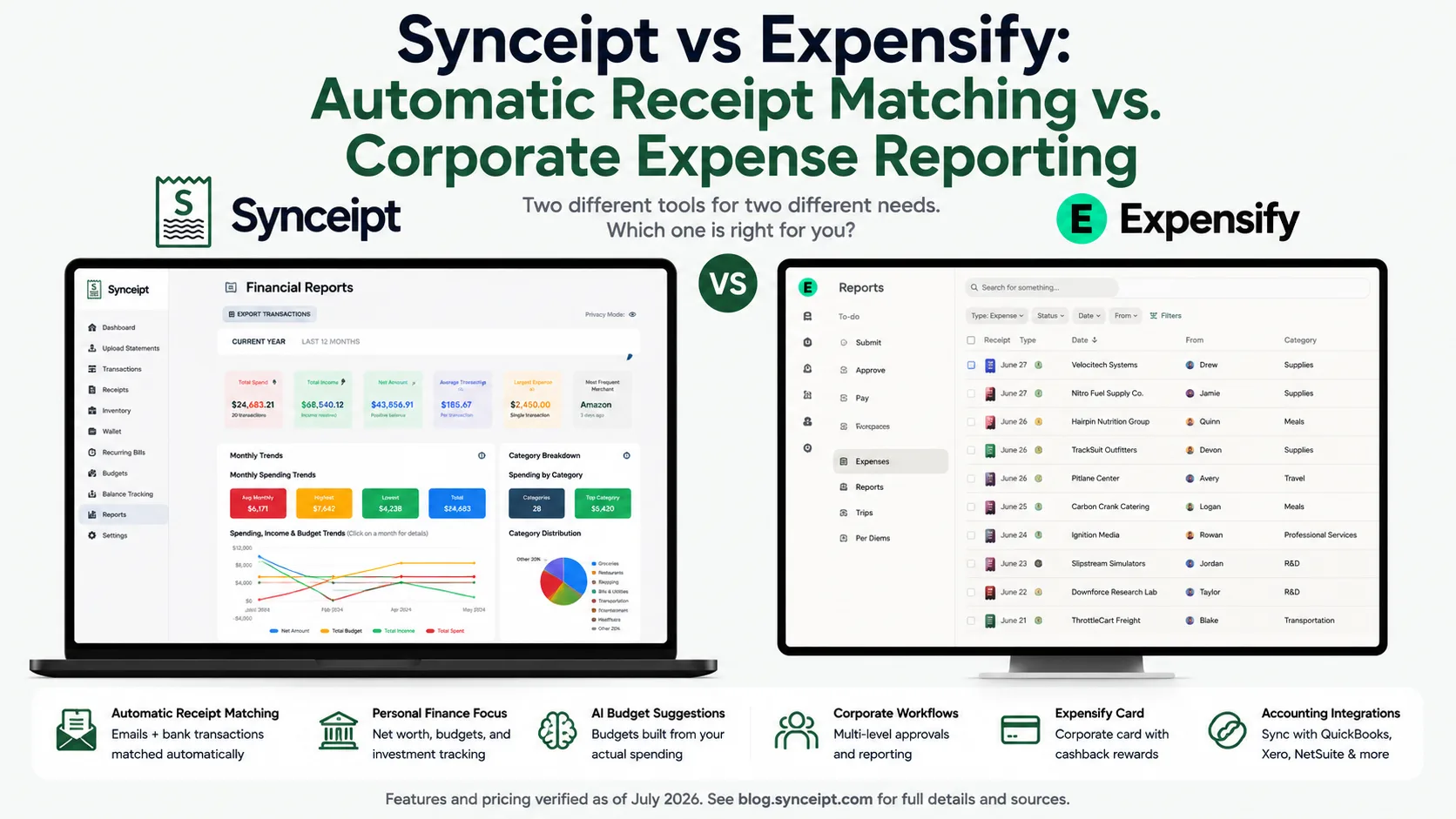
Expensify and Synceipt overlap more than most comparisons on this blog — both scan receipts, both sync with banks and cards, both categorize spending. The difference is who each one is built for. Expensify is corporate expense-report software: approval chains, a company card program, mileage and per diem, and native accounting-system sync, with a usable free tier bolted on for individuals. Synceipt is built for individuals, freelancers, and small businesses from the ground up, with automatic inbox receipt reading and bank matching as the core feature, not an add-on.
That difference shows up immediately in how each one captures a receipt. Expensify's SmartScan is a genuinely capable OCR engine — but it still requires you to photograph a receipt, forward it to a dedicated email address, or upload it yourself. Synceipt connects directly to your Gmail, Outlook, or Yahoo inbox and reads receipts automatically, with no per-receipt action at all. This comparison walks through where the two actually compete, and where Expensify's corporate machinery is either a reason to choose it or a reason it's overkill.
Synceipt vs Expensify at a Glance
| Feature | Synceipt | Expensify |
|---|---|---|
| Automatic email receipt import (OAuth, zero action) | ✅ Yes — Gmail, Outlook, Yahoo | ❌ No — photo, upload, or forward to receipts@expensify.com only |
| Photo receipt capture with line-item extraction | ✅ Yes — every line item, not just the total | ⚠️ Partial — SmartScan extracts vendor, date, and total only |
| Bank/card sync for automatic import | ✅ Yes — Plaid, 12,000+ institutions (banks + cards) | ⚠️ Partial — cards import via 10,000+ feeds/Plaid; personal bank accounts are for reimbursement payout only, not import |
| Automatic receipt-to-transaction matching | ✅ Yes — exact amount, merchant, and date, no review needed | ⚠️ Partial — auto-merges to card charges; statement reconciliation is largely manual per Expensify's own docs |
| Personal net worth / investment tracking | ✅ Yes | ❌ No |
| AI-generated personal budget suggestions | ✅ Yes | ❌ No |
| Multi-level corporate approval workflows | ❌ No | ✅ Yes — Submit & Approve, Advanced Approval chains |
| Mileage tracking (GPS, rates) | ❌ No | ✅ Yes — 4 capture methods, IRS-rate support |
| Corporate card issuance + cashback | ❌ No | ✅ Yes — Expensify Card, 1–2% tiered cashback |
| Native accounting/ERP sync (QuickBooks, Xero, NetSuite) | ❌ No — CSV export only | ✅ Yes |
| Free plan | ✅ Yes — free forever, no per-scan fees | ⚠️ Partial — 25 free SmartScans/month, then $0.20 each |
| Starting price (solo use) | $5.99/month | $5/member/month (team) or ~$5/month (Track, solo) |
The Short Answer
- Choose Expensify if you're running a team that needs approval chains, corporate card reconciliation, mileage or per diem tracking, travel booking, or a native QuickBooks/Xero/NetSuite integration.
- Choose Synceipt if you're an individual, freelancer, or small business owner who wants receipts read automatically from your inbox and matched to bank charges, plus personal budgeting and net worth tracking — without a per-scan fee or corporate expense-report machinery.
- Use both only if you specifically need Expensify's corporate workflow for work reimbursement and separately want Synceipt's automatic personal tracking — most individuals won't need to.
Is Synceipt a Good Expensify Alternative?
If you're looking for an Expensify alternative because you're an individual or small business paying per SmartScan on the free tier, or paying a per-member team price for features you don't use, Synceipt is a legitimate one — with a caveat that runs the other direction from most comparisons on this blog. Expensify's corporate depth (approvals, mileage, corporate cards, ERP sync) isn't something Synceipt is trying to replicate at all; Synceipt is a narrower, personal/small-business-focused tool that happens to automate the one thing Expensify still makes you do by hand: getting a receipt into the system in the first place.
Who Synceipt works well for as an Expensify alternative:
- Individuals and households using Expensify's free Individual tier who are hitting the 25-SmartScan/month cap or paying $0.20 per extra scan
- Freelancers and self-employed people who want deduction-ready expense records with verified receipts — plus, on Pro or Pro Plus, a light bookkeeping ledger with a chart of accounts and P&L export
- Small business owners who want automatic personal/business expense tracking without approval workflows, corporate cards, or per-member team pricing
- Anyone who wants receipts pulled from their inbox automatically instead of snapping a photo or forwarding each one to receipts@expensify.com
- Anyone who also wants personal net worth tracking and AI-suggested budgets, which Expensify doesn't offer at all
Where Synceipt isn't a replacement: if you need multi-level approval chains, a corporate card program, mileage or per diem tracking, travel booking, or native two-way sync with QuickBooks, Xero, or NetSuite, those are core to Expensify's design and have no equivalent in Synceipt today.
When Is Expensify Overkill?
Expensify is excellent at corporate expense management — but for a lot of individual and small-business situations, it's more machinery than the job requires:
- Tracking your own personal spending — Expensify's free tier exists for this, but it's still fundamentally an expense-report tool with a 25-scan monthly cap, not a personal-finance app with budgeting or net worth built in
- A freelancer with no employees who just needs deduction-ready records — you don't need approval workflows or a corporate card program for that
- A small side business that occasionally needs a P&L for taxes — Expensify has no bookkeeping ledger or chart of accounts at all; you'd still need to export to an accountant or accounting software
- Wanting receipts handled with zero manual action — Expensify's SmartScan still requires you to photograph, upload, or forward every single receipt yourself
The tell: if you're manually forwarding receipts to receipts@expensify.com or hitting the free tier's 25-scan cap because you just wanted your personal spending tracked automatically, that's a sign you need a receipt-first tool built for individuals, not an expense-report platform built for reimbursement workflows.
What Each App Is Actually Built For
Expensify is expense-report software, built around getting a receipt onto a report, through an approval chain, and reimbursed or reconciled against a corporate card — with SmartScan as the entry point into that pipeline, not an inbox connection. Its four-way capture (photo, forward-to-receipts@expensify.com, upload, or specific travel-app integrations) all still require the user to actively hand over each receipt one at a time.
Synceipt is a personal and small-business expense tracker built around one pipeline: read receipts from your email inbox automatically, sync bank transactions automatically, and match the two without manual review. Everything else — item-level budgets, net worth, the wallet, and, on Pro and Pro Plus, a light bookkeeping ledger — is built on top of that verified record, not on an expense-report workflow.
Pricing, Side by Side
Pricing verified from Expensify's own blog and help center as of July 2026; Expensify's live pricing calculator may show additional detail or change over time. Confirm current pricing at expensify.com/pricing before subscribing to either product.
- Synceipt Free — $0/month forever. 1 email account, manual bank statement upload, limited AI receipt extractions, manual transaction/receipt entry, budget tracking — no per-scan charges.
- Synceipt Regular — $5.99/month, no trial (a previous 14-day trial was retired). 2 email accounts, 2 Plaid bank connections, automatic matching, recurring bill tracking, inventory sale tracking.
- Synceipt Pro — $9.99/month, with a 30-day free trial (credit card required). 8 email accounts, 5 bank connections, advanced reporting, a light bookkeeping ledger with chart of accounts, P&L, and revenue-by-customer export, team sharing for up to 4 members, 30-day money-back guarantee.
- Synceipt Pro Plus — $19.99/month. 15 email accounts, 15 bank connections, unlimited tags, the same light bookkeeping ledger as Pro, team sharing for up to 8 members (expandable), priority support.
- Expensify Individual (free) — 25 free SmartScans/month, then $0.20 per additional scan; solo expense tracking with CSV export.
- Expensify Track — roughly $4.99/month billed annually (higher on a month-to-month basis) for self-employed/solo users; unlimited SmartScans, basic policy checks, bank/card import.
- Expensify Collect — a flat $5/member/month, no annual commitment required and no Expensify Card required at that rate; unlimited SmartScans, bill pay, and basic invoicing.
- Expensify Control — starts at $9/member/month with an annual commitment and Expensify Card use; $18/member/month without the card. Adds multi-level approval workflows, corporate card reconciliation, and deeper accounting/ERP sync.
- Expensify also offers a 30-day free trial for new workspaces.
For a solo user, Synceipt's Regular plan ($5.99/month, no scan limits) lands close to Expensify's Track tier but without any per-scan cap, and Synceipt's free tier has no scan cap-driven overage fees the way Expensify's free Individual tier does. For a small team, Expensify's Collect plan ($5/member/month) is priced per person, while Synceipt's team plans (Pro at $9.99/month for up to 4 members, Pro Plus at $19.99/month for up to 8+) are priced per plan rather than per seat — worth comparing directly against your actual headcount.
Receipt Capture and Bank/Card Sync
This is the area with the most surface-level overlap, and the most important practical difference — both apps scan receipts, but one requires you to hand it over and the other doesn't.
- Capture method — Expensify: photograph a receipt in the mobile app, upload a file on the web, or forward/email it to a dedicated receipts@expensify.com address; also pulls receipts automatically from a small number of named travel-app integrations (e.g., Uber, Lyft). Synceipt: automatically reads Gmail, Outlook, and Yahoo inboxes via OAuth with zero action required, plus photo capture and manual entry for anything else.
- Inbox connection — Expensify: no native OAuth connection to a user's Gmail/Outlook/Yahoo inbox exists; that gap is filled only by third-party tools that connect via OAuth and then forward selected receipts to Expensify's own receipts@ address. Synceipt: the direct inbox connection is the core feature, with no forwarding step and no third-party tool required — and because it reads the whole connected mailbox rather than a dedicated address, a receipt forwarded in from an unconnected account still gets picked up automatically if you want to use it that way.
- Line-item detail — Expensify: SmartScan extracts vendor, date, and total; Expensify's own community forum has threads from users asking how to itemize a hotel folio or grocery receipt, which currently requires manual entry. Synceipt: extracts every line item from a receipt automatically and assigns each one to its own budget category, whether the receipt arrived by email or photo.
- Bank/card sync — Expensify: a personal bank account link exists only to receive reimbursement payouts, not to import transactions; expense import instead comes from linking a credit or debit card (10,000+ supported banks/issuers via direct feeds and Plaid), with up to 2 personal cards connectable for free before a paid workspace is required. Synceipt: Plaid connects both bank accounts and cards — 12,000+ institutions — for transaction sync and net worth in one connection.
- Matching — Expensify: states it automatically merges a SmartScanned receipt with a matching card transaction, but its own Statement Matching and Reconciliation guide describes a largely manual process of comparing total spend against a card statement and expanding line items to find missing or duplicate charges. Synceipt: matches receipts to bank transactions on exact amount, merchant, and date, with no manual review needed for confirmed matches, plus a manual mode for edge cases.
The practical test: with Expensify, you still have to snap, forward, or upload every receipt yourself — SmartScan is genuinely good OCR, but it's still manual capture. With Synceipt, receipts get pulled from your inbox and matched in the background whether you open the app or not.
Personal Finance vs. Corporate Expense Management
This is where the two products stop competing directly — each does something meaningful the other doesn't attempt.
- Approval workflows — Expensify: three configurable workflow types (Submit & Close, Submit & Approve, Advanced Approval with conditional multi-level chains, e.g. escalating to a second approver above a dollar threshold). Synceipt: no approval workflows — every account is single-owner or team-shared, not routed through an approval chain.
- Corporate card program — Expensify: issues its own Expensify Card with tiered cashback (2% above $250,000/month in company card spend, 1% below) and real-time policy checks at swipe. Synceipt: no card issuance of any kind.
- Mileage and per diem — Expensify: GPS tracking, map-based entry, odometer photo capture, or manual entry, against IRS or custom rates (the 2026 IRS standard business rate is 72.5 cents/mile); per diem rates are configured manually, with no automatic GSA/DoD rate-table sync. Synceipt: no mileage or per diem tracking.
- Accounting/ERP sync — Expensify: native two-way integrations with QuickBooks, Xero, NetSuite, and Sage Intacct, plus Zapier/API connectors. Synceipt: no direct accounting-software integration; a light bookkeeping ledger (Pro/Pro Plus) covers chart-of-accounts and P&L needs internally, with CSV export as the bridge to an accountant or external software.
- Personal net worth and budgeting — Synceipt: Account Balance Tracking rolls checking, savings, credit, loans, and investment/retirement balances into a net worth figure, with AI-generated budget suggestions from your own spending history. Expensify: no net worth, investment tracking, or personal budgeting features of any kind — it's expense categorization for reporting and reimbursement, not personal finance.
- AI features — Expensify: "Concierge AI" expanded through 2025–2026 into an expense agent that flags policy violations, suspicious or AI-generated receipts, and can create/edit/categorize/submit expenses via natural-language chat. Synceipt: AI is used for receipt line-item extraction and personalized budget suggestions, not a chat-driven policy agent.
Features Synceipt Has That Expensify Doesn't
- Fully automatic email receipt capture via direct OAuth inbox connection, with zero manual scanning, uploading, or forwarding
- Full line-item extraction from every receipt, not just vendor/date/total
- Personal net worth tracking across checking, savings, credit, loans, and investment/retirement accounts, with a weekly summary email
- AI-generated personal budget suggestions based on your own historical spending
- A light bookkeeping ledger (Pro & Pro Plus) — custom chart of accounts, deposit splitting into revenue/fees/tax, period close, and a P&L + revenue-by-customer export to Excel
- A wallet for tracking cash and gift card balances as real transactions
- Sale event tracking for personal resale (yard sales, eBay, Venmo/PayPal), linkable to the resulting bank deposit
- A genuine free-forever plan with no per-scan overage fees
- Independently verified security: Synceipt completed the Cloud Application Security Assessment (CASA) Tier 2, reviewed by TAC Security, an App Defense Alliance authorized assessor
Features Expensify Has That Synceipt Doesn't
If any of these are core to what you need, Expensify (or a comparable corporate expense-management platform) is the right tool, not Synceipt:
- Multi-level, conditional approval workflows for expense reports
- A company-issued corporate card with cashback and real-time policy enforcement
- GPS-based mileage tracking and per diem support
- Corporate travel booking (flights, hotels, rental cars, rail)
- Bill pay and vendor invoicing bundled into the same platform
- Native two-way sync with QuickBooks, Xero, NetSuite, and Sage Intacct
- Payroll integrations (Gusto, ADP, Rippling, Workday)
- A dedicated employee reimbursement pipeline with same-day (Rapid Reimbursement) options for smaller amounts
Who Should Choose Which
- You manage a team that needs multi-level expense approval chains → Expensify
- You need a corporate card program with cashback and spend controls → Expensify
- You need mileage tracking, per diem, or corporate travel booking → Expensify
- You need native two-way sync with QuickBooks, Xero, or NetSuite → Expensify
- You want receipts read automatically from your inbox with zero manual capture → Synceipt
- You want personal net worth tracking and AI-suggested budgets alongside your receipts → Synceipt
- You're a freelancer or small business owner who wants a simple P&L and chart of accounts without full double-entry accounting → Synceipt Pro or Pro Plus
- You want a free-forever plan with no per-scan fees → Synceipt
The overlap is real, but the audiences mostly aren't. Expensify is built for the moment a receipt needs to travel through a reimbursement or approval process. Synceipt is built for the moment a receipt needs to be verified against your own bank account and turned into insight — no report, no approver, no company card required.
Frequently Asked Questions
Can Synceipt replace Expensify?
Depends on whether you need Expensify's corporate features. For individuals, freelancers, or small businesses that mainly want automatic receipt reading and bank matching, Synceipt is a legitimate, often cheaper replacement. For teams needing approval workflows, corporate cards, mileage/per diem, or native ERP sync, Expensify is the right category of tool.
Does Expensify automatically read my email for receipts like Synceipt does?
No. SmartScan captures receipts via photo, upload, or forwarding to receipts@expensify.com — it doesn't connect to your inbox via OAuth to pull receipts automatically. Synceipt connects directly to Gmail, Outlook, or Yahoo and extracts receipts with no per-receipt action.
Does Expensify extract line items from a receipt like Synceipt does?
No. SmartScan extracts vendor, date, and total only — itemizing a receipt's individual line items currently has to be done manually, per Expensify's own community forum. Synceipt's AI extracts every line item automatically and categorizes each one.
How much cheaper is Synceipt than Expensify?
Synceipt's free plan has no per-scan fees; paid tiers run $5.99–$19.99/month. Expensify's free tier caps at 25 SmartScans/month (then $0.20 each), and its team plans run $5–$18/member/month. For personal or small-team use without corporate features, Synceipt is typically cheaper.
Can I use my personal bank account with Expensify the way I do with Synceipt?
Not for expense tracking — Expensify uses a linked personal bank account only to send reimbursement payouts, not to import transactions. Expense import comes from linking a card instead. Synceipt uses one Plaid connection for both transaction sync and net worth.
Which is better for a freelancer or small business owner — Synceipt or Expensify?
Depends on whether corporate features matter. Expensify's individual tier works for basic freelancer expense tracking. Synceipt adds automatic inbox reading, item-level budgeting, bank matching, and a light bookkeeping ledger (Pro/Pro Plus) at a comparable or lower price, but without Expensify's mileage tracking or corporate-grade approval workflows.
Does Synceipt do mileage tracking or issue corporate cards like Expensify?
No. Mileage tracking, per diem, and corporate card issuance are core Expensify features with no equivalent in Synceipt.
Does Expensify have personal budgeting or net worth tracking like Synceipt?
No. Expensify is expense categorization for reporting and reimbursement — it has no net worth dashboard, investment tracking, or AI-generated personal budgets.
Try Automatic Receipt Matching Free
Connect your inbox and bank account once. Synceipt reads receipts and matches them to your bank transactions automatically from that point forward — no forwarding, no per-scan fees, no approval chain required.