
Editorial note: This article compares Synceipt to Ramp, a product of Ramp Business Corporation. Ramp is a trademark of Ramp Business Corporation, used here only to identify and describe their product for comparison purposes. This comparison is independent editorial content, not sponsored by, affiliated with, or endorsed by Ramp. We've made a good-faith effort to verify every claim about Ramp against primary and official sources — cited at the bottom of this article — as of July 2026, but pricing, eligibility requirements, and features change frequently and may have changed since publication. We provide this comparison for informational purposes only, without warranty of completeness or accuracy, and it shouldn't be your only source before making a purchasing decision — verify current details at ramp.com first. Spot something that's wrong or out of date? Email support@synceipt.com and we'll correct it.
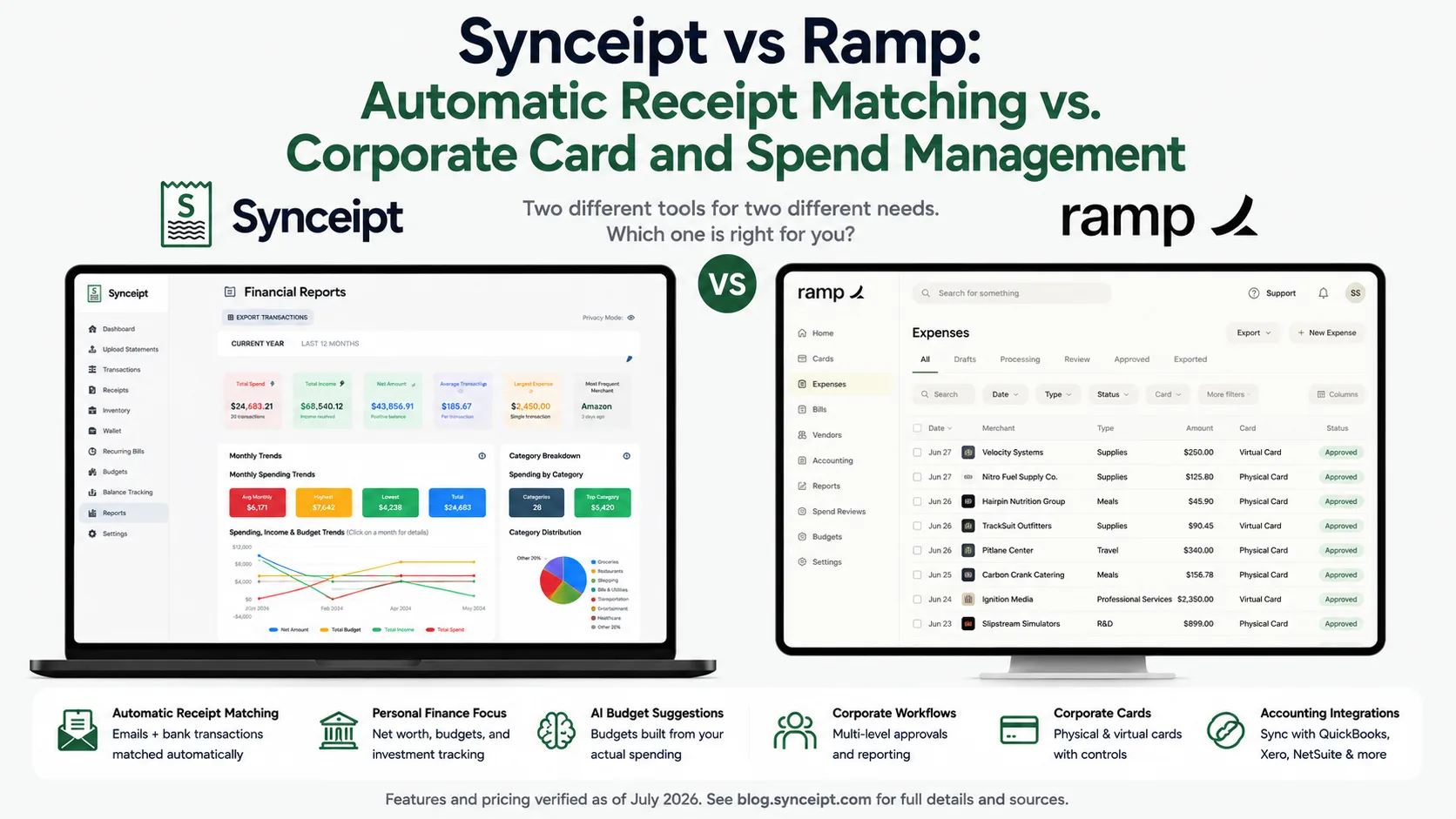
Synceipt and Ramp show up in the same search results mostly because both involve "automatic receipt matching" — but they're built for genuinely different customers. Ramp is corporate spend-management software: charge cards, bill pay, travel booking, procurement, and real-time accounting sync, aimed at companies with real headcount and a funded business bank account. Synceipt is built around automatically matching email receipts to bank transactions for individuals, freelancers, and small side businesses, with an optional light bookkeeping ledger layered on top.
That difference shows up before you even get to features: Ramp has real eligibility requirements — a qualifying business entity, at least $25,000 in a connected US bank account, and a physical US address — before you can use it at all. Synceipt has none of that. So this comparison isn't really "which is better"; it's mostly about figuring out which category of tool you actually need, and being honest about who each one leaves out.
Where the two do overlap — receipt capture, automatic categorization, expense visibility — we've compared them directly. Where they don't overlap at all, like Ramp's cards, bill pay, travel, and procurement, or Synceipt's personal budgeting and net worth tracking, we've said so plainly instead of forcing a comparison that isn't really there.
Synceipt vs Ramp at a Glance
| Feature | Synceipt | Ramp |
|---|---|---|
| Target customer | Individuals, freelancers, and small side businesses | Mid-to-large companies — Shopify, Notion, Webflow, and Eventbrite are cited customers |
| Eligibility to sign up | ✅ None — anyone can create a free account | ⚠️ Restricted — US corporation, LLC, LP, or nonprofit only (not sole proprietors), $25,000+ in a connected US bank account, mostly-US operations, physical US address |
| Corporate charge cards (virtual & physical) | ❌ No — Synceipt isn't a card issuer | ✅ Yes — unlimited virtual and physical Visa cards with per-vendor/category/amount controls |
| Automatic full-inbox email receipt capture (Gmail, Outlook, Yahoo) | ✅ Yes — OAuth connection to all three, zero action per receipt | ⚠️ Partial — Gmail account linking captures some receipts automatically; Outlook and Yahoo aren't supported, and most receipts still arrive by text, email forward, Slack, or browser extension |
| Line-item data extraction from receipts | ✅ Yes — every line item | ✅ Yes — merchant, date, amount, and line items via AI OCR |
| Bank transaction sync | ✅ Yes — Plaid, 12,000+ institutions | ✅ Yes — built around its own card and banking rails, plus linked external accounts |
| Native accounting/ERP sync (QuickBooks, Xero, NetSuite, etc.) | ❌ No — CSV/Excel export only | ✅ Yes — real-time sync to QuickBooks, Xero, NetSuite, Sage Intacct, Workday, and Oracle |
| Bill pay / accounts payable automation | ❌ No | ✅ Yes — OCR invoice extraction, AI coding/fraud/approval agents, multiple payment methods |
| Travel booking and policy enforcement | ❌ No | ✅ Yes — policy-aware booking, rate monitoring, automatic rebooking, per diem |
| Procurement / purchase orders | ❌ No | ✅ Yes — AI contract parsing, approval routing, PO generation |
| Light bookkeeping ledger (chart of accounts, deposit splitting, P&L, period close) | ✅ Yes — Pro & Pro Plus | ❌ Not applicable — Ramp isn't accounting software; it feeds one |
| Personal budgeting and net worth tracking | ✅ Yes, including AI-suggested budgets | ❌ No — Ramp has no personal-finance or household features |
| Free plan | ✅ Yes — free forever, no eligibility gate | ✅ Yes — $0/user, but automation and AI features require Plus or Enterprise |
| Starting price | $5.99/month (Regular) | $0–$15/user/month plus an unpublished platform fee; Enterprise is custom |
The Short Answer
- Choose Ramp if you run a funded or established company that clears its $25,000 minimum bank-balance requirement, and you need corporate cards, bill pay, travel booking, procurement, and real-time ERP sync in one platform.
- Choose Synceipt if you're an individual, freelancer, sole proprietor, or small side business — including anyone who doesn't clear Ramp's eligibility bar — and you mainly want receipts automatically matched to bank transactions, with an optional light bookkeeping ledger.
- These aren't really competing for the same customer. Most people typing "Synceipt vs Ramp" are trying to figure out which category of tool applies to them, not choosing between two similar products.
Is Synceipt a Good Ramp Alternative?
Honestly, only for a specific slice of people who land on Ramp's site and don't fit what it's built for. If you already qualify for Ramp and need what it does — cards, bill pay, travel, procurement, ERP sync — Synceipt isn't a substitute; it doesn't attempt any of that. Where Synceipt is a legitimate alternative is for the people Ramp's own eligibility rules exclude, or who never needed a corporate spend platform in the first place.
Who Synceipt works well for as a Ramp alternative:
- Sole proprietors — Ramp doesn't accept this entity type at all, regardless of revenue
- Freelancers, solopreneurs, and small business owners who don't have $25,000+ sitting in a single US business bank account, which is Ramp's own stated qualifying threshold
- Anyone who wants automatic receipt-to-bank-transaction matching without adopting corporate cards, an approval workflow, or a spend-management platform built for employees
- Small businesses that want a lightweight, tax-ready P&L (Pro or Pro Plus) without wiring up a full ERP integration they don't otherwise use
- Individuals and households managing personal finances, which Ramp doesn't address at all
Where Synceipt isn't a replacement: if you actually need corporate charge cards, multi-employee approval workflows, bill pay, travel booking, procurement, or a native NetSuite, Sage Intacct, or Workday sync, Synceipt has none of it. That's not a gap Synceipt is trying to close — it's simply a different, smaller-scoped tool built for a different kind of user.
What Each Platform Is Actually Built For
Ramp is spend-management infrastructure for a company: cards that route every employee's spend through configurable controls, bill pay that automates the accounts-payable workflow, travel booking with policy enforcement, procurement with AI-parsed contracts and purchase orders, and real-time sync into whatever ERP or accounting system the finance team already runs. Receipt capture exists inside that system mainly to keep card transactions documented and coded correctly — it isn't the product itself.
Synceipt is a receipt-and-transaction verification tool for a person, not a company. It reads your email inbox automatically, syncs your bank transactions, and matches the two so every charge has a verified paper trail — then builds item-level budgets, net worth tracking, and, on Pro and Pro Plus, a light bookkeeping ledger on top of that matched data. There are no employees to manage spend for, no cards to issue, and no ERP to sync into.
Ramp's Eligibility Requirements at a Glance
- 1
Business entity type
A corporation, LLC, limited partnership, or nonprofit registered in the US. Sole proprietorships aren't accepted, regardless of revenue.
- 2
Minimum cash balance
At least $25,000 held in a connected US business bank account — Ramp underwrites primarily against this and the business's cash flow, not personal credit.
- 3
Mostly-US operations
Most of the company's operations and corporate spend need to occur within the United States.
- 4
Physical US address
A real US street address is required. PO boxes, virtual offices, and mail-forwarding addresses are rejected.
- 5
Credit approval
Cards are issued by partner banks and remain subject to credit approval, though Ramp advertises no personal guarantee requirement for the business owner.
Synceipt has no equivalent list. There's no entity requirement, no minimum bank balance, and no address verification — anyone can create a free account and start connecting an inbox and a bank account immediately.
Pricing, Side by Side
Pricing verified from Ramp's own pricing page and cross-checked against independent reviews (NerdWallet, among others) as of July 2026. Ramp doesn't publish exact platform-fee amounts, so confirm current pricing directly with Ramp before subscribing.
- Synceipt Free — $0/month forever. 1 email account, manual bank statement upload, limited AI receipt extractions, manual transaction/receipt entry, budget tracking.
- Synceipt Regular — $5.99/month, no trial (a previous 14-day trial was retired). 2 email accounts, 2 Plaid bank connections, automatic matching, recurring bill tracking, inventory sale tracking.
- Synceipt Pro — $9.99/month, with a 30-day free trial (credit card required). 8 email accounts, 5 bank connections, advanced reporting, a light bookkeeping ledger with chart of accounts and P&L export, team sharing for up to 4 members, 30-day money-back guarantee.
- Synceipt Pro Plus — $19.99/month. 15 email accounts, 15 bank connections, unlimited tags, the same light bookkeeping ledger as Pro, team sharing for up to 8 members (expandable), priority support.
- Synceipt team member slot add-ons — for a team larger than a plan's included seats, extra slots are published, stackable packs: $1.99/month for 1 additional seat, $8.99/month for a 5-seat bundle, or $15.99/month for a 10-seat bundle, combinable to cover larger teams.
- Ramp Free — $0/month per user. Includes corporate cards, core expense management, and accounts payable with OCR invoice extraction.
- Ramp Plus — $15/month per user, plus, per Ramp's own pricing page, "a platform fee based on team size" that isn't published in a table — a 20% discount applies with annual billing. Adds AI-driven automation, advanced ERP integrations (NetSuite, Sage Intacct, Workday), and enhanced support.
- Ramp Enterprise — custom pricing, annual billing required, quoted directly by Ramp's sales team.
- Ramp's card rewards — Ramp's marketing highlights an estimated "5% savings," but that figure blends cash back with time saved on expense tracking; it isn't a card rewards rate. Independent reviewers report the actual cash-back rate ranges from 0% to 1.5% and is set per customer rather than published in advance.
Synceipt's base plans top out at $19.99/month, and growing a team beyond the included seats uses published, stackable seat packs ($1.99–$15.99/month per pack, combinable for larger teams) rather than an unpublished per-seat multiplier — with no eligibility check at any point. Ramp's real cost is harder to predict from the pricing page alone: Plus starts at $15/user but adds an unpublished platform fee, and Enterprise requires a sales conversation entirely — a structural difference worth knowing before you compare the two on price alone.
Receipt Capture and Expense Automation
Both platforms use AI to read a receipt and pull structured data out of it. How a receipt gets into each system in the first place is where they diverge.
- Capture channels — Ramp: text/SMS, email forwarding, Slack, a browser extension that captures receipts automatically while shopping online, and linked personal accounts (Lyft, DoorDash, certain airlines, and Gmail) for some real-time automatic capture. Synceipt: a single, standing OAuth connection to Gmail, Outlook, or Yahoo that scans the whole inbox automatically, with no per-receipt forwarding, texting, or uploading required for receipts that already land in a connected inbox — and forwarding works too when you need it, since Synceipt reads the whole mailbox rather than a dedicated address: forward a receipt from an unconnected account into a connected one and it's extracted the same way. Also includes photo capture for paper receipts.
- Inbox coverage — Ramp's automatic linking is Gmail-only; Outlook and Yahoo users are limited to the manual channels (forward, text, Slack, upload). Synceipt connects all three major providers the same way.
- Data extracted — both extract merchant, date, amount, and full line items via AI OCR, rather than just a total.
- Matching — Ramp matches receipts to card transactions and, for accounts-payable, does 3-way matching across purchase orders, receipts, and invoices. Synceipt matches receipts to bank transactions on exact amount, merchant, and date, with a manual matching mode for edge cases.
- Ramp's own claim — Ramp states its AI-powered extraction leads to "34% fewer manual reviews," though it doesn't publish a specific OCR accuracy percentage alongside that figure.
The practical difference: Ramp's capture is built around a card transaction that already exists and needs documentation. Synceipt's capture is built around an email receipt that arrives before any bank transaction is confirmed, and its job is to find and match the transaction once it posts.
Accounting, Bookkeeping, and ERP Sync
This is the widest, most honest gap between the two. Ramp has real, native, real-time sync into QuickBooks Online and Desktop, Xero, NetSuite, Sage Intacct, Workday, and Oracle — including automatic vendor matching and a built-in reconciliation tool that verifies balances between Ramp and the accounting system. Synceipt has no direct integration with any accounting software at all; moving data out means a CSV or Excel export, which a user or their bookkeeper imports manually.
What Synceipt does have, on Pro and Pro Plus, is its own light bookkeeping ledger built directly into the app: a custom chart of accounts, splitting a batched deposit into revenue/fee/refund/tax/reserve lines, Customer/Project/Invoice # tagging, period close and reopen, and a Reviewed-only P&L and revenue-by-customer export to Excel. It's built for a freelancer or small business that wants clean, tax-ready books without an ERP — not as a substitute for the ERP integration a company running real accounting software actually needs. If your business already runs QuickBooks, Xero, or NetSuite day to day, Ramp's native sync is doing a job Synceipt doesn't attempt.
Features Synceipt Has That Ramp Doesn't
- No eligibility gate of any kind — sole proprietors and individuals with no business entity can use it
- Full OAuth inbox connection across Gmail, Outlook, and Yahoo — Ramp's automatic linking covers Gmail only
- Personal budgeting, item-level budget categorization, and AI-suggested budget targets
- Automatic net worth tracking across personal checking, savings, credit, loans, and investment/retirement accounts
- A wallet for tracking cash and gift card balances as real transactions
- Sale event tracking for personal resale (yard sales, eBay, Venmo/PayPal)
- A genuine free-forever plan, and no unpublished platform-fee layer — extra team seats beyond a plan's included allotment are published, stackable packs, not an unpublished per-seat fee
- Independently verified security: Synceipt completed the Cloud Application Security Assessment (CASA) Tier 2, reviewed by TAC Security, an App Defense Alliance authorized assessor
Features Ramp Has That Synceipt Doesn't
If any of these are the reason you're looking at Ramp, Synceipt won't replace it — it isn't trying to compete here:
- Actual corporate charge cards, physical and virtual, with per-vendor, per-category, and per-amount controls
- Native, real-time sync into QuickBooks, Xero, NetSuite, Sage Intacct, Workday, and Oracle
- Full accounts-payable automation — OCR invoice extraction, AI coding/fraud/approval agents, and outbound bill payments
- Travel booking with policy enforcement, rate monitoring, and automatic rebooking
- Procurement — AI contract parsing, dynamic approval routing, and purchase-order generation
- FDIC-insured business banking with Same-Day ACH and investment options
- Multi-employee approval workflows and role-based spend controls built for a team, not a household
Who Should Choose Which
- You run a company that clears Ramp's $25,000 minimum balance and entity requirements, and you need corporate cards → Ramp
- You need native, real-time sync into QuickBooks, Xero, NetSuite, or another ERP → Ramp
- You need bill pay, travel booking, or procurement as part of the same platform → Ramp
- You're a sole proprietor, or your business doesn't clear Ramp's eligibility bar → Synceipt
- You want receipts read automatically from your inbox and matched to bank charges with zero manual entry, without adopting a corporate-card platform → Synceipt
- You're a freelancer or small business owner who wants a light bookkeeping ledger (chart of accounts + P&L) without an ERP integration → Synceipt Pro or Pro Plus
- You're managing personal or household finances, not a company's → Synceipt
These two rarely serve the same person at the same time. Ramp is built for a funded company's spend, with cards, bill pay, and ERP sync attached. Synceipt is built for an individual's or small business's receipts and bank transactions, with a light bookkeeping ledger attached. Figure out which category you're actually in before comparing price.
Frequently Asked Questions
Can Synceipt replace Ramp?
Only for a narrow slice of Ramp's audience. Ramp is a corporate spend-management platform — cards, bill pay, travel, procurement, and ERP sync — built for companies with real headcount and a funded bank account. Synceipt has none of that. If you're an individual, freelancer, or small side business that mainly wants receipts automatically matched to bank transactions, Synceipt covers that well. If you actually need what Ramp does, Synceipt isn't a substitute.
Do I need $25,000 in the bank to use Synceipt, like Ramp requires?
No. Ramp requires at least $25,000 in a connected US business bank account, a qualifying entity type, mostly-US operations, and a physical US address before you can even get a card. Synceipt has no eligibility requirements — anyone, including a sole proprietor, can create a free account.
Which is cheaper, Synceipt or Ramp?
Synceipt's paid tiers run $5.99 to $19.99/month with a free-forever plan. Extra team seats beyond a plan's included allotment use published, stackable add-on packs ($1.99–$15.99/month per pack). Ramp Plus is $15/month per user plus an unpublished platform fee based on team size, and Enterprise is custom-quoted — making Ramp's real monthly cost harder to predict from the pricing page alone.
Does Synceipt offer a corporate card like Ramp?
No. Synceipt isn't a card issuer — it connects to your existing bank accounts via Plaid and reads receipts from your inbox instead of routing spend through its own cards. Ramp's card program, with per-vendor and per-category controls, is core to what it does and something Synceipt doesn't attempt.
Can Synceipt sync with QuickBooks or Xero the way Ramp does?
No. Ramp has native, real-time sync into QuickBooks, Xero, NetSuite, Sage Intacct, Workday, and Oracle. Synceipt has no accounting-software integration — only a CSV/Excel export. Synceipt's own light bookkeeping ledger (Pro and Pro Plus) covers a chart of accounts and P&L export for freelancers who don't need a full ERP integration.
Can I use Synceipt and Ramp together?
There's no integration between them, so it would mean two subscriptions with no shared data. Most people don't need both: if you qualify for and need Ramp's spend-management stack, use Ramp; if you don't, or you're managing personal or freelance finances rather than a funded company's, Synceipt is built for that instead.
Is Ramp available to sole proprietors or individuals?
No. Ramp's eligibility criteria accept corporations, LLCs, limited partnerships, and nonprofits, but not sole proprietors, and its cards are issued to businesses, not individuals. Synceipt has no such restriction and is built for individuals and households first.
Try Automatic Receipt Matching Free
No business bank balance to qualify, no entity to register — connect your inbox and bank account and Synceipt matches receipts to transactions automatically from there.