
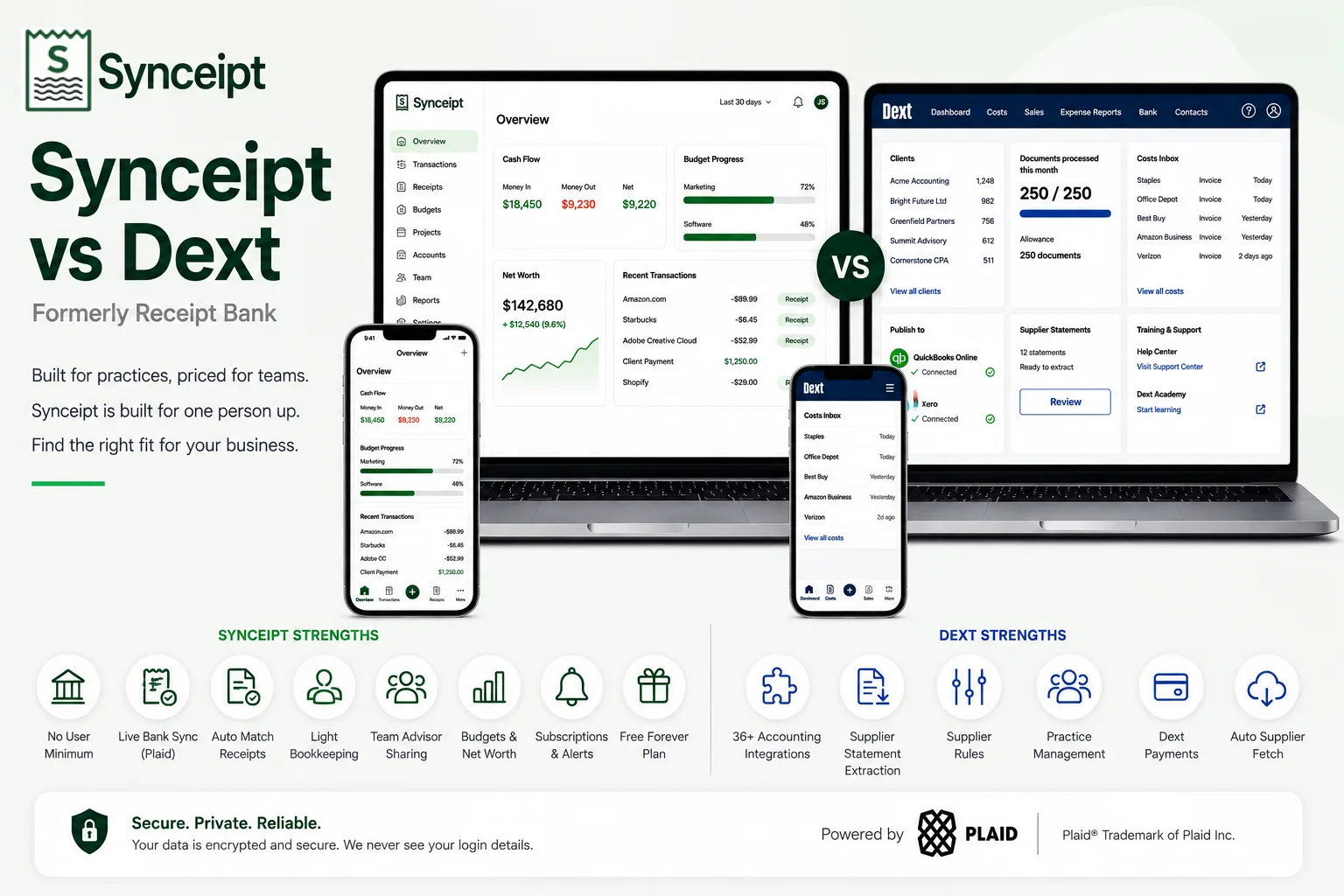
Editorial note: This article compares Synceipt to Dext. Dext and Receipt Bank are trademarks of their respective owner, used here only to identify and describe their product for comparison purposes. This comparison is independent editorial content, not sponsored by, affiliated with, or endorsed by Dext. We have made a good-faith effort to verify every claim about Dext against primary and official sources — cited at the bottom of this article — as of August 2026, but pricing, plan names, and features change frequently and may have changed since publication. Dext publishes its business pricing through an interactive calculator rather than a fixed price list, so the headline figures below should be treated as indicative and confirmed on dext.com before you buy. We provide this comparison for informational purposes only, without warranty of completeness or accuracy, and it should not be your only source before making a purchasing decision. Spot something that is wrong or out of date? Email support@synceipt.com and we will correct it.
If you searched for the Receipt Bank app and landed on Dext, you found the right product — Receipt Bank rebranded to Dext in 2020, and it is the same lineage of receipt and invoice capture built for bookkeepers. That history matters here, because it explains the shape of the product. Dext grew up serving accounting practices that process paperwork for many clients, and almost every design decision follows from that: per-client pricing, user minimums, document allowances, and publishing into whichever accounting platform the practice already runs.
Synceipt was built for the other end of that relationship — the individual or small business whose receipts and bank transactions are the thing being reconciled. It connects your inbox and your bank directly, matches receipts to transactions continuously, and wraps that in budgeting, net worth tracking, and subscription monitoring. This comparison is less about which tool is better and more about which side of that line you are on, because the two products barely compete for the same buyer.
Synceipt vs Dext at a Glance
| Feature | Synceipt | Dext |
|---|---|---|
| Minimum users / clients | ✅ None — built for one person up | ❌ Business base plan includes 5 users; practice plans require 10 clients |
| Starting paid price | $5.99/month | Business base plan (5 users) — see Pricing; practice plans priced per client |
| Free plan | ✅ Yes — free forever | ❌ No — free trial only |
| Automatic email receipt import | ✅ Yes — Gmail, Outlook, Yahoo (OAuth) | ✅ Yes — forwarding address, plus supplier fetch |
| Photo / PDF receipt scanning | ✅ Yes — every line item | ✅ Yes — with line item extraction as a metered allowance |
| Live bank & card connection (continuous sync) | ✅ Yes — Plaid, 12,000+ institutions | ❌ No — bank statement extraction from supplied statements |
| Bank statement extraction | ⚠️ Partial — PDF upload (AI) | ✅ Yes — metered sheets per month, 10 on the base plan |
| Supplier statement extraction / reconciliation | ❌ No | ✅ Yes — metered per month |
| Automatic receipt-to-transaction matching | ✅ Yes — continuous, from the live bank feed | ⚠️ Partial — reconciles against supplied statement data |
| Publishes into external accounting software | ❌ No — CSV / Excel export only | ✅ Yes — over 36 accounting integrations |
| Built-in bookkeeping ledger + P&L | ✅ Yes — Pro and Pro Plus | ❌ No — it feeds your accounting software instead |
| Accountant / bookkeeper access | ✅ Yes — Advisor Access, Viewer or Bookkeeper | ✅ Yes — the practice model is the core product |
| Personal budgeting + AI budget suggestions | ✅ Yes | ❌ No |
| Net worth / account balance tracking | ✅ Yes | ❌ No |
| Recurring subscription & bill tracking | ✅ Yes — with alerts | ❌ No |
| Supplier payment processing | ❌ No | ✅ Yes — Dext Payments add-on |
The Short Answer
- Choose Dext if you are an accounting practice, a bookkeeper, or a business with a finance team — especially if your bookkeeping already lives in QuickBooks, Xero, or one of the other 36-plus platforms Dext publishes into.
- Choose Synceipt if you are one person or a small business, want receipts matched automatically against a live bank feed rather than an uploaded statement, and want budgeting, net worth, and subscription tracking in the same place.
- The deciding factor is usually not features but scale. Dext's smallest business plan starts at 5 users and 250 documents per month; if you are a sole trader, most of that is capacity you will pay for and never use.
Is Synceipt a Good Dext Alternative?
It depends entirely on why you are looking. If Dext feels like too much product for one person — too many seats, too much workflow, priced for a practice — then Synceipt is a genuine alternative, and a much cheaper one. If you are leaving Dext because you need something that publishes cleanly into your accountant's software, Synceipt is not that tool and switching would cost you the thing you actually rely on.
Who Synceipt works well for as a Dext alternative:
- Sole traders, freelancers, and one-person businesses with no need for multi-user document workflows
- Small businesses that want receipts matched to a live bank and card feed automatically, with no statement to fetch and upload
- Anyone who wants personal budgeting, AI budget suggestions, net worth tracking, and subscription monitoring alongside their receipts — none of which Dext offers
- People who want to keep books themselves in a self-contained light ledger with a P&L, instead of paying for both a capture tool and an accounting platform
- Anyone who wants to start on a genuinely free plan rather than a trial that expires
Where Synceipt is not a replacement: if you publish into QuickBooks, Xero, Sage, or any of Dext's other integrations, if you need supplier statement extraction and reconciliation, if you process supplier payments through Dext Payments, or if you are a practice managing document flow for a roster of clients, those are Dext's core competencies and Synceipt has no equivalent. Dext also offers add-ons — Commerce Lite for ecommerce sales data, Vault for document storage, and Dext AI Assist — that extend it further into practice workflows.
What Each App Is Actually Built For
Dext is a data-capture and pre-accounting layer. Its job is to take paperwork in every form a business receives it — photographed receipts, emailed invoices, supplier statements, bank statements — extract the data accurately, let a bookkeeper code it with supplier rules, and publish the result into the accounting platform where the books actually live. It is measured on how much manual keying it removes from a bookkeeper's week, which is why its plans are denominated in documents and users rather than features.
Synceipt is a finance app for the business owner rather than their bookkeeper. It reads receipts from your inbox automatically, syncs bank and card transactions through Plaid continuously, and matches the two in the background. On top of that matched record it builds item-level budgets, net worth tracking, subscription alerts, project budgets, a wallet, resale and inventory tracking, and — on Pro and Pro Plus — a light bookkeeping ledger with a chart of accounts and a profit-and-loss statement, so a small business can close its own books without a second subscription.
Pricing, Side by Side
Dext prices its business plan through an interactive calculator that varies with user count and document volume, and prices practice plans per client. That means there is no single published number we can quote with confidence the way we can for a fixed-tier product. The structural facts below — the 5-user base, the 250-document allowance, the 10-client practice minimum, and the add-on prices — come from Dext's own help centre and plan builder. Confirm the total for your own configuration at dext.com before subscribing.
- Synceipt Free — $0/month forever. 1 email account, manual PDF bank statement upload, limited AI receipt extractions, manual transaction and receipt entry, budget tracking.
- Synceipt Regular — $5.99/month, no trial. 2 email accounts, 2 Plaid bank connections, automatic matching, recurring bill tracking, inventory sale tracking.
- Synceipt Pro — $9.99/month, with a 30-day free trial (credit card required). 8 email accounts, 5 bank connections, advanced reporting, a light bookkeeping ledger with chart of accounts, P&L, and revenue-by-customer export, team sharing for up to 4 members, 30-day money-back guarantee.
- Synceipt Pro Plus — $19.99/month. 15 email accounts, 15 bank connections, unlimited tags, the same light bookkeeping ledger as Pro, team sharing for up to 8 members (expandable), priority support.
- Dext Business — a single plan that scales. The base tier includes 5 users and 250 documents per month, 10 sheets of bank statement extraction, 5 supplier statement extractions, and 5 documents of line item extraction. Each additional user adds 50 documents, 5 bank statement sheets, 5 line-item documents, and 1 supplier statement. Annual billing saves 20% and is charged upfront.
- Dext for practices — two plans, Practice Essentials and Practice Advanced, priced per client per month with a 10-client minimum (5 clients for the data health and insights option). Annual subscription saves 13%.
- Dext add-ons — Dext AI Assist at $7 per client, Data Health & Insights at $7.50 per client per month, and Commerce Lite at $7.50 per client per month, plus Vault and Dext Payments.
The comparison that matters is not price per feature but price per person. Synceipt Regular costs $5.99 for one user. Dext's business entry point is a 5-user plan, which is excellent value for a five-person finance team and poor value for a sole trader. If you are a practice billing clients for bookkeeping, Dext's per-client pricing is the model that fits your business and Synceipt's per-account pricing is not.
Receipt Capture and Bank Data
Both products capture receipts well. The mechanical difference is where bank data comes from, and it is the single biggest functional split between them.
- Receipt capture — Dext: photograph receipts in the mobile app, forward invoices to a dedicated email address, upload files in bulk, or let Dext fetch documents automatically from connected suppliers. Synceipt: connects Gmail, Outlook, and Yahoo over OAuth and reads receipts from your inbox automatically, plus photo and PDF capture.
- Data extraction — Dext: extracts supplier, date, totals, and tax, with line item extraction metered as a separate monthly allowance on each plan. Synceipt: extracts every line item on every receipt by default and assigns each to a budget category.
- Bank data — Dext: bank statement extraction, metered in sheets per month (10 on the base tier). You supply the statement; Dext reads it. Synceipt: connects the account itself via Plaid across 12,000+ institutions and syncs transactions continuously, with no statement involved.
- Matching — Dext: reconciles documents against the statement data it has extracted, in the pre-accounting workflow. Synceipt: matches receipts against a live transaction feed on exact amount, merchant, and date, continuously and in the background.
- Coding — Dext: supplier rules let a bookkeeper automate how each supplier's documents are coded before publishing. Synceipt: categorizes to budget categories and, on Pro and Pro Plus, to a chart of accounts in its own ledger.
The practical difference: with Dext, bank data is as current as the last statement someone extracted, and line-item detail is a metered allowance. With Synceipt, transactions arrive on their own through Plaid and every receipt gets full line-item extraction, but there is nowhere to publish the result except an export file.
Features Dext Has That Synceipt Doesn't
Dext is a mature product with a decade and a half of practice workflow behind it. If any of these are load-bearing for you, Dext is the better choice and it is not close:
- Publishing into over 36 accounting platforms, including QuickBooks and Xero, with the source document attached to the transaction
- Supplier statement extraction and reconciliation, so you can check what a supplier says you owe against what you have recorded
- Supplier rules that automate coding per supplier across a whole practice
- Practice management — client rosters, team workflows, and client insights on Practice Advanced
- Automatic fetching of bills and invoices directly from connected suppliers
- Dext Payments for paying suppliers, and Vault for document storage
- Commerce Lite for pulling ecommerce sales data into the same workflow
- A multi-user model designed from the ground up for delegation and review
Features Synceipt Has That Dext Doesn't
Synceipt is a narrower product aimed at a different person, and in that lane it does several things Dext does not attempt:
- A live, continuous bank and card feed through Plaid, with receipts matched automatically in the background rather than at statement time
- Item-level budgets that track spending by what you actually bought, not just which supplier you bought it from
- AI budget suggestions based on your real spending history
- Net worth and account balance tracking across connected accounts
- Recurring subscription and bill detection with alerts before renewal
- Project budgets, a cash wallet, and resale/inventory tracking with profit and loss per item
- A self-contained light bookkeeping ledger with chart of accounts and P&L on Pro and Pro Plus — no second accounting subscription required
- A genuinely free forever plan, and paid plans that start at one user
Who Should Choose Which
- Accounting practice or bookkeeper with multiple clients — Dext, without hesitation. This is the product's home ground and Synceipt does not compete here.
- Business with a finance team of 5 or more, books in QuickBooks or Xero — Dext. The user minimum stops being a penalty and the accounting integration is the whole point.
- Sole trader or freelancer who wants receipts reconciled and taxes made easier — Synceipt. No user minimum, a free tier to start, and $5.99/month if you need bank connections.
- Small business that wants to keep its own books without a separate accounting platform — Synceipt Pro or Pro Plus, for the built-in ledger and P&L.
- Anyone who wants personal budgeting and net worth tracking in the same app as their receipts — Synceipt. Dext does not do this at all.
- Business that needs supplier statement reconciliation or supplier payments — Dext.
A useful test: if the person who will use this tool every day is a bookkeeper, choose Dext. If it is the business owner, choose Synceipt.
Frequently Asked Questions
Is Dext the same as Receipt Bank?
Yes. Receipt Bank rebranded to Dext in 2020. If you are searching for the Receipt Bank app, Dext is the current product. Older reviews and pricing pages that still say Receipt Bank describe an earlier version of the same tool, so treat their pricing and feature lists as out of date.
Is Synceipt a good Dext alternative?
For a solo freelancer or a small business without an accountant-led workflow, often yes — Synceipt has no user minimum, starts at 5.99 dollars per month, and matches receipts against a live bank feed. For an accounting practice processing client paperwork at volume, no. Dext is purpose-built for that, and Synceipt does not attempt it.
Why does Dext cost more than Synceipt?
They are priced for different buyers. Dext Business starts at a 5-user base plan and Dext practice plans have a 10-client minimum, so the entry price reflects a team or a practice. Synceipt is priced per account for one person or a small business, from a free tier up to 19.99 dollars per month.
Does Synceipt sync with QuickBooks or Xero like Dext does?
No. Dext publishes coded transactions into over 36 accounting platforms including QuickBooks and Xero. Synceipt exports CSV and Excel and includes its own light bookkeeping ledger with a profit-and-loss statement on Pro and Pro Plus, but it does not push data into external accounting software. If your bookkeeping lives in QuickBooks or Xero, that gap matters.
Does Dext connect to my bank the way Synceipt does?
Differently. Dext extracts data from bank statements you supply, with a monthly allowance of bank statement extraction sheets on each plan. Synceipt connects the account itself through Plaid and pulls transactions continuously, then matches receipts to them in the background without a statement upload.
Can I use Dext as a single user?
Not on the standard business plan. Dext Business is a single plan that scales with users and documents, and its base tier includes 5 users and 250 documents per month. There is no one-user tier, so a solo user pays for capacity they will not use. Synceipt has no user minimum.
Does Synceipt do personal budgeting and net worth tracking?
Yes, and this is the clearest split between the two products. Synceipt includes item-level budgets, AI budget suggestions, net worth and account balance tracking, and recurring subscription monitoring with alerts. Dext is a bookkeeping data-capture tool and does not offer personal finance features.
Which one should my accountant prefer?
If your accountant already runs a Dext practice account, sending them Dext data is less work for them and that is a real argument for staying. If they do not, Synceipt Advisor Access lets you give a CPA or bookkeeper Viewer or Bookkeeper access to your data directly, drawn from your paid Pro or Pro Plus team-seat capacity, with no software purchase on their side.
Try Automatic Receipt Matching Free
No user minimum, no document allowance, no accounting platform required. Connect your inbox and bank once, and Synceipt matches receipts to your transactions automatically from that point on.