
Editorial note: This article compares Synceipt to Xero. Xero and Hubdoc are trademarks of their respective owner, used here only to identify and describe their product for comparison purposes. This comparison is independent editorial content, not sponsored by, affiliated with, or endorsed by Xero. We have made a good-faith effort to verify every claim about Xero against primary and official sources — cited at the bottom of this article — as of August 2026, but pricing, plan names, and features change frequently and may have changed since publication. Xero has announced US price changes effective 1 October 2026, reflected below. We provide this comparison for informational purposes only, without warranty of completeness or accuracy, and it should not be your only source before making a purchasing decision — verify current details at xero.com first. Spot something that is wrong or out of date? Email support@synceipt.com and we will correct it.
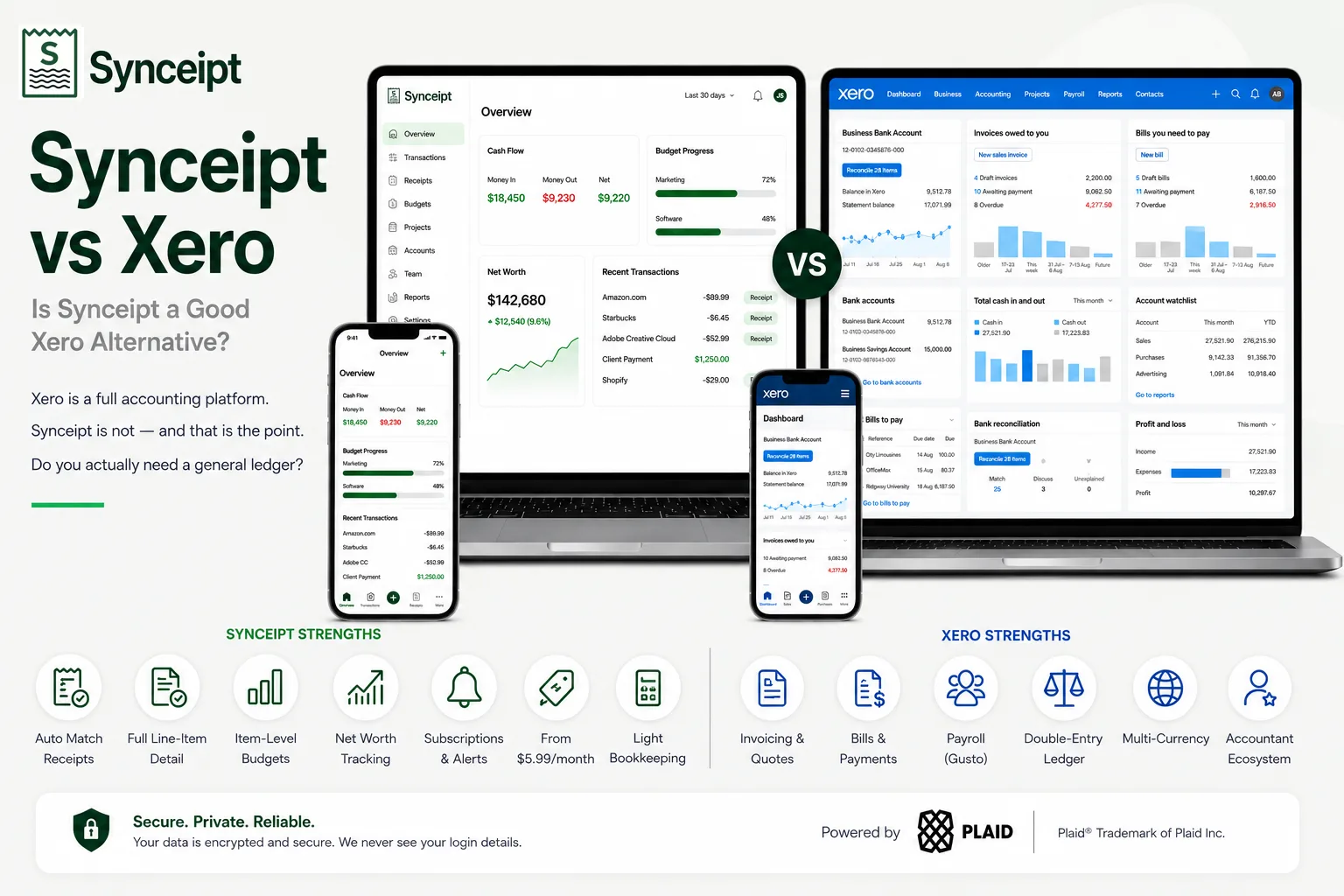
Let us be direct about this one, because a comparison that pretends otherwise wastes your time: Synceipt is not an accounting platform and it does not replace Xero. Xero is double-entry accounting with bill management, bank reconciliation, payroll integration, projects, and a global ecosystem of accountants who work in it every day. Synceipt has none of that and is not trying to build it. It does invoice — Pro and Pro Plus create and issue invoices and match customer payments to bank deposits — but that is one feature, not a ledger.
So why write the comparison at all? Because a large number of people pay for Xero and use perhaps a quarter of it. They subscribed to keep on top of expenses, capture receipts, and stop dreading tax season — and they got a general ledger, which is a heavier and more expensive tool than that job requires. If that describes you, this page is about whether you are overpaying. If you run payroll, you can stop reading now: stay with Xero.
Synceipt vs Xero at a Glance
| Feature | Synceipt | Xero |
|---|---|---|
| Double-entry general ledger | ❌ No — light ledger with chart of accounts and P&L (Pro, Pro Plus) | ✅ Yes — full accounting platform |
| Send invoices and quotes | ⚠️ Partial — invoices on Pro & Pro Plus with no monthly cap, but no quotes, no online payment link, and you send the email from your own account | ✅ Yes — 20/month on Early, unlimited on Growing and above |
| Bill management and supplier payments | ❌ No | ✅ Yes — 5 bills/month on Early, unlimited above |
| Payroll | ❌ No | ✅ Yes — via Gusto integration, syncing back as bills or journals |
| Bank reconciliation workflow | ⚠️ Partial — matching, not formal reconciliation | ✅ Yes — the core of the product |
| Live bank & card connection | ✅ Yes — Plaid, 12,000+ institutions | ✅ Yes — bank feeds |
| Automatic receipt-to-transaction matching | ✅ Yes — continuous, automatic, in the background | ⚠️ Partial — Hubdoc captures documents; matching happens during reconciliation |
| Automatic email receipt import | ✅ Yes — Gmail, Outlook, Yahoo (OAuth) | ⚠️ Partial — forward to Hubdoc |
| Line-item extraction from receipts | ✅ Yes — every line item, categorized | ❌ No — Hubdoc extracts supplier, date, total |
| Personal budgeting + AI budget suggestions | ✅ Yes | ❌ No |
| Net worth / account balance tracking | ✅ Yes | ❌ No |
| Recurring subscription & bill tracking with alerts | ✅ Yes | ❌ No |
| Multi-currency | ⚠️ Partial — ~160 currencies for recording and reporting, converted at a dated ECB rate for combined totals; invoices can be issued in any of them, but receivables are never FX-converted and a payment must be in the invoice's own currency | ✅ Yes — Established plan, 150+ currencies, hourly rates |
| Project profitability tracking | ⚠️ Partial — project budgets | ✅ Yes — quote, invoice, time and cost tracking |
| Accountant ecosystem | ⚠️ Partial — Advisor Access for your own CPA | ✅ Yes — global network trained on Xero |
| Free plan | ✅ Yes — free forever | ❌ No — free trial only |
| Starting price | $5.99/month | $25/month, rising to $27 on 1 Oct 2026 |
The Short Answer
- Choose Xero if you manage bills, run payroll, need customers to pay invoices online, need FX-converted multi-currency, or have to hand an accountant a real set of books. Nothing in Synceipt substitutes for any of that.
- Choose Synceipt if you are an individual, freelancer, or small business owner who wants receipts captured and matched to a live bank feed automatically, plus budgeting, net worth, and subscription tracking — and who does not need a general ledger.
- Run both if you want Xero as the system of record and Synceipt for day-to-day capture and personal finance. The handoff is a CSV or Excel export, not a live sync.
Is Synceipt a Good Xero Alternative?
For most Xero subscribers, no — and we would rather say that than sell you something that breaks your bookkeeping. Xero is the system your accountant logs into, the place your bills and payroll run, and the source of the statements your lender or tax authority expects. Synceipt replaces none of those functions.
But there is a real population for whom Xero is the wrong shape of tool, and it is larger than you might expect. Sole traders with no invoices to send. Contractors paid through a platform that already handles billing. Small businesses whose accountant does the books quarterly from bank data anyway. People who bought Xero because it is the well-known answer, and use it to categorize spending. For all of them, the general ledger is overhead they pay for monthly and touch rarely.
Who Synceipt works well for as a Xero alternative:
- Sole traders and freelancers who do not invoice through their accounting software, or do not invoice at all
- Anyone whose main reason for subscribing was expense tracking and receipt capture rather than accounting
- Small businesses whose accountant works from bank statements and a summary rather than inside the ledger
- People who want budgeting, net worth, and subscription tracking — Xero does not offer these, because they are not accounting functions
- Anyone who wants receipts matched to transactions automatically and continuously, rather than as a reconciliation task
- Businesses hitting the Xero Early plan's 20-invoice or 5-bill cap who are about to be pushed to $55/month for capacity they only partly need
Where Synceipt is not a replacement, and this list is deliberately long: quotes, bill management, supplier payment batches, payroll, formal financial statements, balance sheets, journals, audit trail, sales tax reporting, inventory accounting, and the fact that essentially every accountant already knows Xero. Invoicing is the one line that has moved — Synceipt now issues invoices and tracks receivables on Pro and Pro Plus — but it does not send the email for you, take a payment through a link, or do quotes and recurring invoices, and receivables are never FX-converted. If any of the rest matter, the comparison ends there.
What Each App Is Actually Built For
Xero is a general ledger with a business wrapped around it. Every feature exists to keep a complete, auditable record of what the business earned, owed, and owns: invoices create receivables, bills create payables, bank feeds are reconciled against both, payroll posts wages and taxes through Gusto, and the result is a set of statements an accountant, a bank, or a tax authority can rely on. It is a serious tool built for a serious obligation, and it is priced accordingly.
Synceipt is built around a much narrower question: where did the money go, and is there a receipt for it? It reads receipts from your inbox automatically, syncs bank and card transactions through Plaid, and matches the two continuously without anyone reconciling anything. On top of that it adds item-level budgets, AI budget suggestions, net worth tracking, subscription alerts, project budgets, a wallet, and resale and inventory tracking — the questions a business owner asks themselves, rather than the ones an accountant asks the books.
Pricing, Side by Side
Xero announced US subscription price increases effective 1 October 2026. Both the current and the new prices are shown below so you can plan against the right number. All Xero prices exclude sales tax. Confirm current pricing at xero.com before subscribing to either product.
- Synceipt Free — $0/month forever. 1 email account, manual PDF bank statement upload, limited AI receipt extractions, manual transaction and receipt entry, budget tracking.
- Synceipt Regular — $5.99/month, no trial. 2 email accounts, 2 Plaid bank connections, automatic matching, recurring bill tracking, inventory sale tracking.
- Synceipt Pro — $9.99/month, with a 30-day free trial (credit card required). 8 email accounts, 5 bank connections, advanced reporting, a light bookkeeping ledger with chart of accounts, P&L, and revenue-by-customer export, team sharing for up to 4 members, 30-day money-back guarantee.
- Synceipt Pro Plus — $19.99/month. 15 email accounts, 15 bank connections, unlimited tags, the same light bookkeeping ledger as Pro, team sharing for up to 8 members (expandable), priority support.
- Xero Early — $25/month, rising to $27 on 1 October 2026. Capped at 20 invoices and 5 bills per month. Includes bank reconciliation and Hubdoc.
- Xero Growing — $55/month, rising to $59 on 1 October 2026. Unlimited invoices and bills.
- Xero Established — $90/month, rising to $97 on 1 October 2026. Adds multi-currency (150+ currencies with hourly rates), projects, and expense claims.
The gap is wide enough that it changes the question. Synceipt Pro Plus, the most expensive plan we sell, costs less than Xero Early — the cheapest plan Xero sells, and one that caps you at 20 invoices a month. That is not a reason to choose Synceipt if you need what Xero does. It is a reason to check honestly whether you do, because paying $300 a year for a general ledger you use as an expense tracker is a common and quiet mistake.
Watch the Early plan caps specifically. 20 invoices and 5 bills a month sounds generous until a busy month pushes you over, and the next tier up is more than double the price. If you are near that line, price the Growing plan, not the Early plan, when you compare.
Receipts and Bank Data: The One Place They Genuinely Compete
Both products get bank transactions and both handle receipts. The difference is what happens between those two facts.
- Bank data — Xero: bank feeds bring transactions in for reconciliation, which is a workflow you or your bookkeeper work through. Synceipt: Plaid syncs transactions across 12,000+ institutions continuously, with no reconciliation step to work through.
- Receipt capture — Xero: through Hubdoc, included on Early, Growing, and Established. You forward documents or let Hubdoc fetch them from suppliers, and it extracts supplier, date, and total. Synceipt: connects Gmail, Outlook, and Yahoo over OAuth and reads receipts automatically, extracting every line item.
- Matching — Xero: the receipt is published into the ledger and matched to a bank line as part of reconciliation. Synceipt: receipts are matched to transactions automatically on exact amount, merchant, and date, in the background, whether you open the app or not.
- What you get from the detail — Xero: an accurate coded transaction in the ledger. Synceipt: line-item data that drives item-level budgets, so you can see spending by what you actually bought rather than by which supplier you bought it from.
The honest framing: Xero's receipt handling is designed to produce correct books. Synceipt's is designed to produce an answer to where your money went, without you doing bookkeeping at all. Those are different goals, and each tool is better at its own.
Features Xero Has That Synceipt Doesn't
This is the longest such list on this blog, and that is the point. Xero is a far bigger product:
- Full double-entry accounting with journals, a balance sheet, and an audit trail
- Quotes, and invoices with online payment services attached and standard ACH included on all plans — Synceipt invoices and tracks receivables, but it does not quote or collect the payment
- Bill management, scheduled bill payments, and batch supplier payments
- Payroll through the Gusto integration, with wages, taxes, deductions, and reimbursements syncing back as bills or manual journals
- Formal financial statements suitable for lenders, investors, and tax filing
- Multi-currency on the Established plan — over 150 currencies with hourly exchange rate updates and automatic gain/loss tracking
- Project profitability with quoting, time tracking, and cost tracking
- Employee expense claims with submission, approval, and reimbursement
- Inventory management
- A global ecosystem of accountants and bookkeepers already trained on the platform
- Hubdoc's automatic document fetch from banks, utilities, and online suppliers
Features Synceipt Has That Xero Doesn't
Shorter list, different job. These are the things Xero does not do because they are not accounting:
- Automatic, continuous receipt-to-transaction matching with no reconciliation workflow to work through
- Automatic email receipt import over OAuth from Gmail, Outlook, and Yahoo, with no forwarding step
- Full line-item extraction from every receipt, and item-level budgets built on it
- AI budget suggestions based on your actual spending history
- Net worth and account balance tracking across connected accounts
- Recurring subscription and bill detection with alerts before renewal
- A cash wallet and resale/inventory tracking with per-item profit and loss
- A free forever plan, and a paid entry point at less than a quarter of Xero's cheapest tier
Who Should Choose Which
- You need customers to pay online from the invoice, or you send quotes as well — Xero. Synceipt does invoice and track receivables on Pro and Pro Plus, but it neither quotes nor collects the payment.
- You run payroll — Xero, via its Gusto integration.
- Your accountant works inside your books — Xero. Ask them before considering anything else.
- You need multi-currency invoicing that converts into your base-currency books — Xero Established. Synceipt can issue an invoice in another currency, but it will not convert your receivables.
- You are a sole trader tracking expenses and dreading tax season — Synceipt. You are likely paying for a ledger you do not use.
- You want to know where your money went, by item, against a budget — Synceipt. Xero does not answer this question.
- You are on Xero Early and about to breach the 20-invoice cap — price both properly before you upgrade to $55.
- You want both — many businesses do. Xero as the record, Synceipt for capture and day-to-day visibility, with CSV or Excel between them.
A quick self-test: if you could not file your taxes or bill a client without it, you need Xero. If what you actually want is to stop losing receipts and know what you spent, you probably do not.
Frequently Asked Questions
Is Synceipt a good Xero alternative?
Only for a specific person: someone who bought Xero to track spending and reconcile receipts, and does not use the bill management, payroll, or formal financial statements. For them Synceipt does the tracking part better and costs 5.99 dollars instead of 25, and its Pro and Pro Plus plans now cover invoicing and receivables too. If you run payroll, need customers to pay online, or hand a CPA a set of books, Synceipt is not a replacement and switching would break your accounting.
How much does Xero cost in 2026?
Xero US pricing is 25 dollars per month for Early, 55 for Growing, and 90 for Established. From 1 October 2026 those rise to 27, 59, and 97 dollars respectively, excluding sales tax. Synceipt is free on its base plan and 5.99, 9.99, or 19.99 dollars per month on paid plans. Confirm current Xero pricing at xero.com before subscribing.
What is the catch with Xero's Early plan?
Volume limits. Xero Early caps you at 20 invoices and 5 bills per month. If you send more than 20 invoices you need the Growing plan at 55 dollars per month, which is a significant jump. Many small businesses discover this only after subscribing, so check your monthly invoice count against that cap first.
Does Synceipt do double-entry accounting?
Not in the full sense. Synceipt Pro and Pro Plus include a light bookkeeping ledger with a chart of accounts, a profit-and-loss statement, and revenue-by-customer export. That is enough for a small business to understand its own numbers and hand something useful to an accountant, but it is not a general ledger with a balance sheet, journals, and audit trail the way Xero is.
Can Synceipt send invoices or run payroll?
Invoices yes, payroll no. Synceipt's Pro and Pro Plus plans create and issue invoices, track what is outstanding and overdue, and match customer payments to the bank deposits that paid them, with no monthly invoice cap. What it does not do is send the email itself — it composes the message and attaches the PDF for you to send from your own account — and there is no payment link, quote, or recurring invoice. Xero does all of that, tracks bills, and integrates with Gusto for US payroll so wages, taxes, and deductions sync back as bills or journals. If you pay employees, that alone decides the question in Xero's favour.
Does Xero match receipts to bank transactions automatically?
Xero has bank reconciliation and, through Hubdoc which is included on Early, Growing, and Established plans, document capture that publishes receipts into your ledger. But matching a receipt to the right bank line is part of the reconciliation workflow you or your bookkeeper work through. Synceipt matches receipts to live Plaid transactions on amount, merchant, and date automatically in the background.
Do I need multi-currency? Which Xero plan has it?
Multi-currency in Xero is on the Established plan, at 90 dollars per month rising to 97 on 1 October 2026, and covers over 150 currencies with hourly exchange rate updates. If multi-currency invoicing is the reason you are looking at Xero, that is the tier you need, and no cheaper tool on this list substitutes for it.
Can I use both Synceipt and Xero?
Yes, and for some businesses that is the right answer, though it means paying for both. Synceipt handles day-to-day receipt capture, matching, budgeting, and subscription tracking; Xero remains the system of record your accountant works in. Synceipt exports CSV and Excel rather than publishing into Xero directly, so the handoff is a file rather than a live sync.
Try Automatic Receipt Matching Free
If what you need is to stop losing receipts and know where your money went — not a general ledger — Synceipt starts free and costs $5.99/month with bank connections. Connect your inbox and bank once, and matching happens on its own.