
Does Cash App track your transactions? Yes, up to a point. The app keeps a history of the payments you send and receive and the purchases made with your Cash App Card, and it provides monthly statements. What it can't show you is the rest of your money: the credit card you use for groceries, your checking account, and the receipts that say what each purchase actually was.
This guide shows how to track Cash App transactions in one place with everything else, using Synceipt, a receipt and transaction tracker. It also covers what Synceipt does and doesn't do with payment apps, so you know what to expect.
Synceipt tracks everyday spending and receipts. It doesn't track Bitcoin or other crypto transactions.
Where your Cash App transactions show up
Your Cash App activity can show up in two places, and it helps to know which is which:
- Your bank or card account. When you send money or add cash using a linked debit card or bank account, the charge appears on that account's statement, usually with Cash App in the description. If that bank is connected to Synceipt, the charge comes in with your other transactions.
- Your Cash App balance. Purchases with the Cash App Card, and payments made from your Cash App balance, never touch your bank. They appear only in Cash App and on its monthly statement.
To see the whole picture you need both: the bank side through a bank connection, and the Cash App side from its statement.
Step by step: track Cash App transactions in Synceipt
- 1
Connect the bank or card that funds Cash App
On a paid plan, go to Bank Accounts and connect through Plaid. Transfers to and from Cash App on that account sync in automatically, with about two years of history. Plaid connects US institutions only.
- 2
Download your Cash App monthly statement
In Cash App, open your statements and save the month you need as a PDF. A screenshot works too.
- 3
Upload it to Synceipt
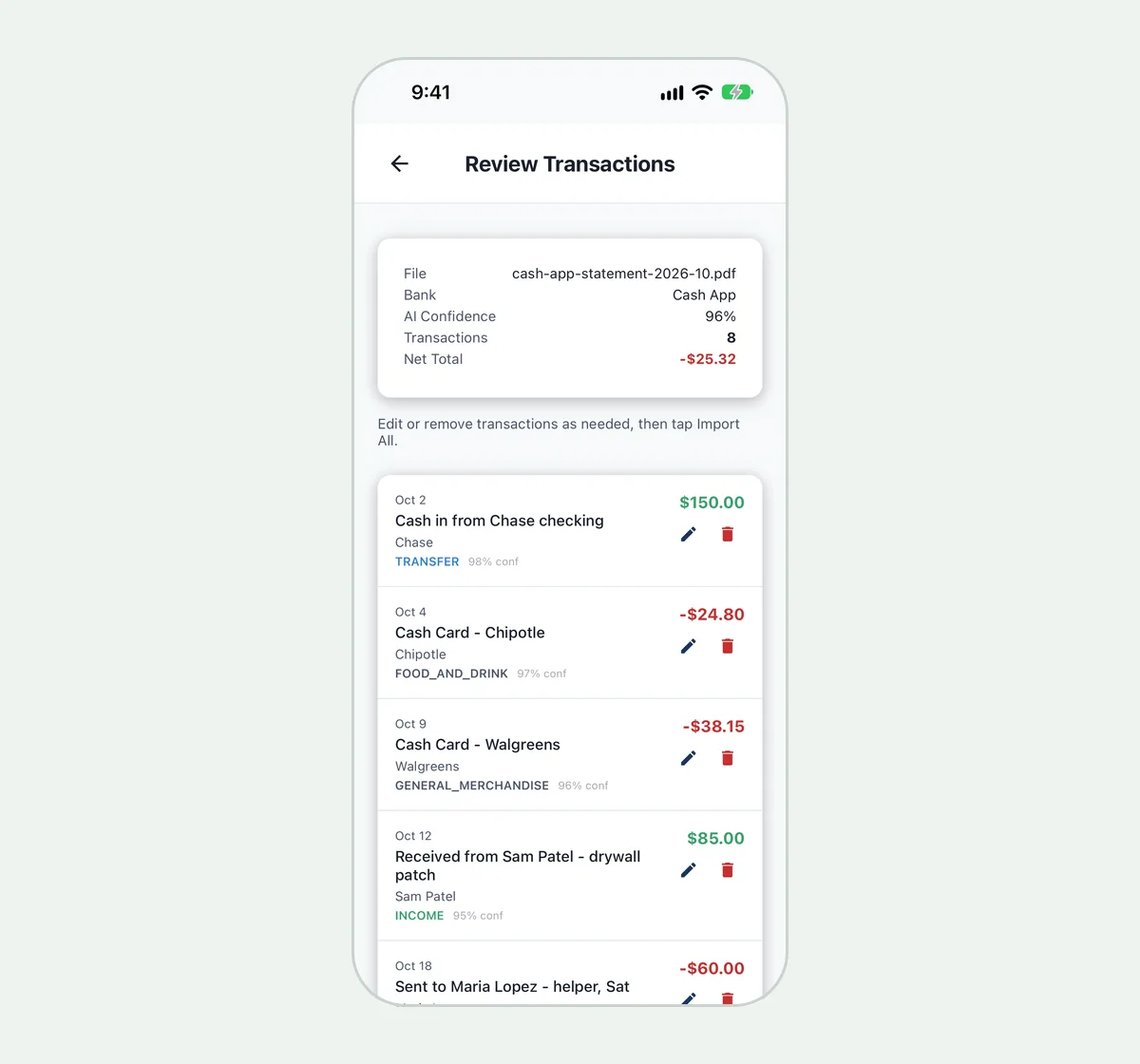
Open Upload Bank Statements and choose the file. PDF, JPEG, PNG, WebP and HEIC files up to 20 MB are accepted. Synceipt's AI reads the statement and extracts each transaction into a draft.
- 4
Review and import
Check the extracted dates, merchants and amounts. Remove any rows you don't want, then import them. Nothing is added to your transactions until you do.
- 5
Match receipts and categorize
Receipts from your email and the receipts you scan are matched to the imported transactions, just as they are for bank charges. Change a transaction's category wherever you need to, and on a paid plan add tags as well.
The free plan includes one AI statement upload a month, which covers a single Cash App statement. Regular includes 10 a month, Pro 30 and Pro Plus 50. For more on how statement reading works, see how AI reads a PDF bank statement.
Avoid counting the same money twice
Moving $50 from your checking account to Cash App isn't spending. The spending happens later, when you use that $50. If both sides are in Synceipt, the move can show up twice: once leaving your bank and once arriving in Cash App.
Synceipt pairs internal transfers automatically when it finds the same amount leaving one of your accounts and arriving in another within five days. Paired transfers are left out of your spending totals. A Cash App top-up can miss that, for example when the two sides are dated further apart or a fee changed the amount. After you import a statement, look over your Cash App top-ups and the bank withdrawals that funded them, so money moving between your own accounts isn't read as spending.
Why keep receipts for Cash App purchases?
- A Cash App entry shows who was paid and how much, not what you bought. The receipt shows the items, which is what you need for a return, a warranty claim or a business deduction.
- If you sell things or freelance and get paid through Cash App, your records need to show which payments were income. See how to record and track inventory sales.
- If you split costs with roommates or family through Cash App, a receipt beside each payment settles any "what was this for?" questions.
What about Venmo, PayPal and Zelle?
The same approach works. Payments funded from your bank or card appear in your bank feed. Activity inside the app's own balance can be brought in by uploading that app's statement. Synceipt never learns a payment app's name as a merchant alias, so one Venmo payment doesn't get linked to every other Venmo charge.
Does Cash App track transactions?
Cash App keeps a history of your payments and Cash App Card purchases, and it provides monthly statements. It doesn't show your other bank and card accounts, or the receipts for your purchases.
How can I see all my Cash App transactions in one place with my bank?
Connect the bank or card that funds Cash App to a transaction tracker like Synceipt, then upload your Cash App monthly statement. Its transactions are extracted and appear alongside your bank charges.
Is there a free transaction tracker app?
Synceipt's free plan includes one AI statement upload a month, emailed receipt capture from one inbox, 10 photo receipt scans and automatic matching. Connecting bank accounts directly needs a paid plan or an add-on.
Does Synceipt track Bitcoin bought with Cash App?
No. Synceipt tracks spending, income and receipts, not crypto holdings or blockchain transactions.
Does it work outside the US?
Bank connections through Plaid are US only. Statement uploads work for any statement Synceipt's AI can read, and receipts keep their own currency.
See Cash App next to the rest of your spending
Bring in your bank, card and Cash App transactions, and keep a receipt beside each one. Free plan available; no credit card required.